98
Editing Programs
16:46
20
12345
°C
P
0 3 6 9 12 15 18 21 24
16:46
20
67
°C
P
0 3 6 9 12 15 18 21 24
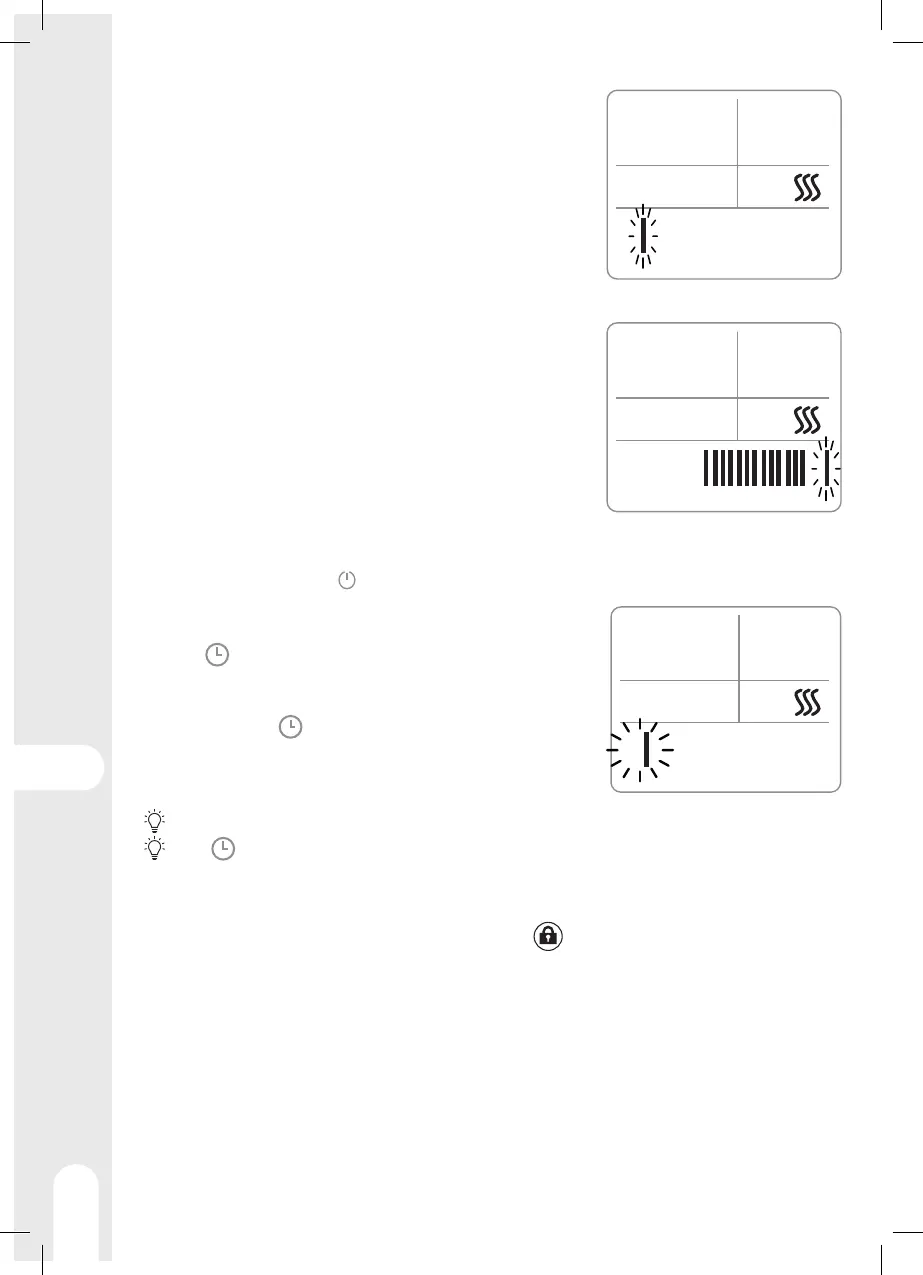
1 - Press MODE several times to choose Programming mode. Each
bar corresponds to a period of one hour.
2 - Press SET, the display shows "12345" (week program) and the first
bar is flashing (period from 0h to 1h),
3 - Press
+
to define that the device must follow the setpoint
temperature during this period, or
-
to define that the device must
be on standby during this period.
4 - The following bar flashes (period from 1 hour to 2 hours) press
+
or
-
to set this period.
5 - Proceed in the same way for each period of the day
16:46
20
12345
°C
P
0 3 6 9 12 15 18 21 24
16:46
20
67
°C
P
0 3 6 9 12 15 18 21 24
6 - Press SET, the display shows "67" (weekend program) and the
first bar is flashing (period from 0h to 1h),
7 - Press
+
or
-
to set this period.
8 - The following bar is flashing (period from 1 hour to 2 hours) press
+
or
-
to set this period.
9 - Proceed in the same way for each period of the day
10 - Press SET to exit edit mode.
Timer
16:46
20
5
°C
0 3 6 9 12 15 18 21 24
M
The Timer function allows the heater to be put into standby mode after a user-defined time.
1 - From standby mode, press to turn on the device.
2 - Press MODE several times to choose the power in Manual mode
3 - Use the + and - keys to adjust the setpoint temperature
4 - Press , the M symbol is flashing
5 - Set the number of hours using the
+
and
-
keys (one bar
corresponds to one hour)
6 - Confirm with the key.
7 - The display now shows a number of bars corresponding to the
number of hours left before standby. A bar will be erased every
hour.
While setting the timer, if there is no action within 10 seconds, the device exits the setting cycle.
Press for more than 3 seconds to cancel the timer
Child lock
The controls can be locked to prevent unintentional use, especially by children. To do this, simultaneously
press the
+
and
-
buttons on the control panel or press the button on the remote control for more
than 3 seconds. Proceed in the same way to unlock the controls.
Anti-tilt switch
An anti-tilt switch is located in the device, it automatically cuts o the power in the event of a fall or move-
ment of the device.
Thermal cuto
A thermal cuto protection switches o heating automatically in case of severe overheating. In this case,
turn o the device, eliminate the cause of the overheating, and allow it to cool before using again.






 To Next Page