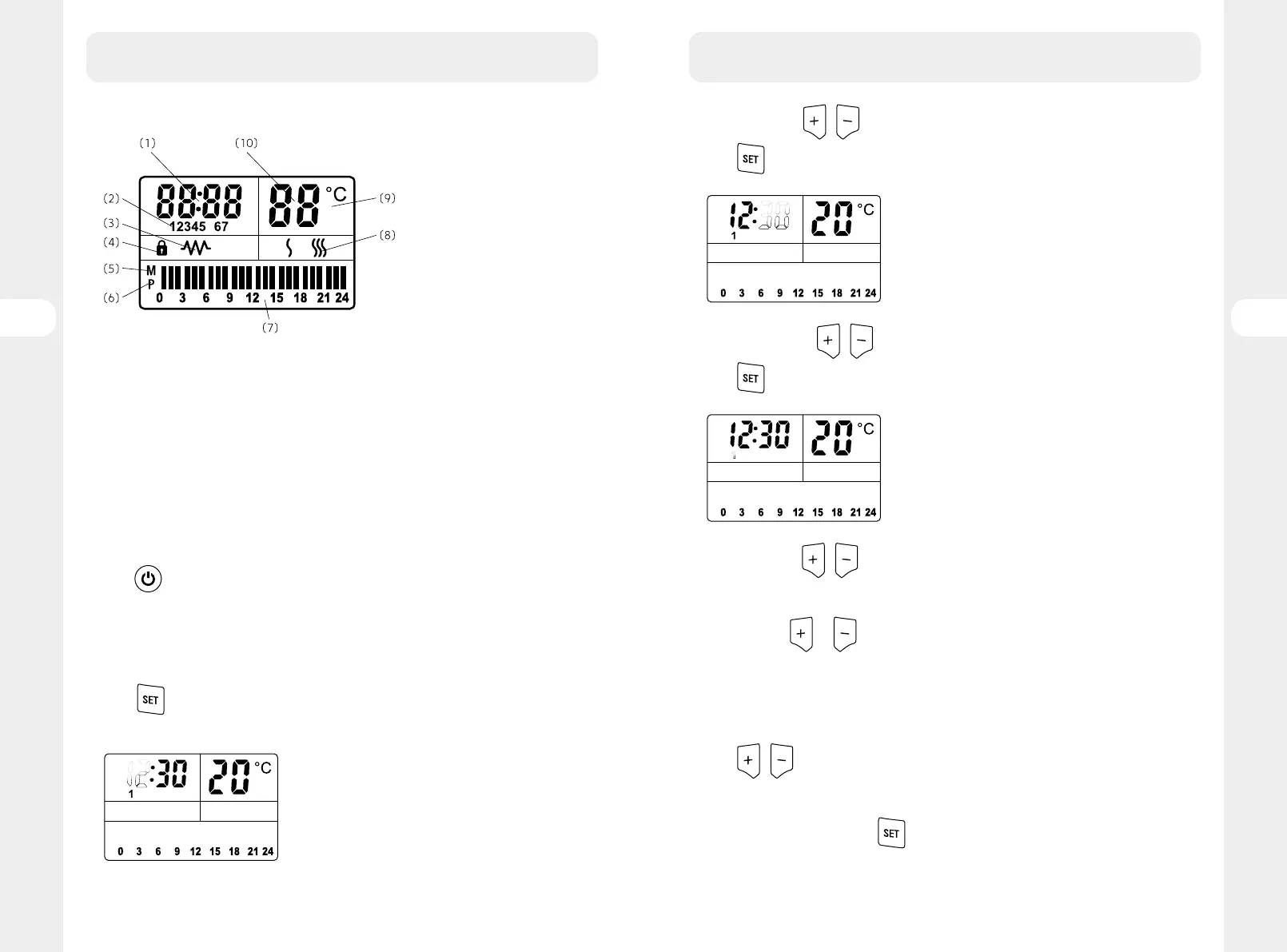
LCD Screen:
(1) Clock,
(2) Date,
(3) Heating,
(4) Buttons lock
(5) M for manual,
(6) P for Program (LCD screen is off during non programmed hours)
(7) Heating status in each hour
(8) Power setting(only in manual mode)
(9) Centigrade
(10) Target temperature
How to use:
Plug and switch on the unit.
Press
, when the LCD is bright, all the part could get started to set.
For the first time using, set the time firstly.
Time setting:
Press
for 3 senconds to set the clock, the hour starts to twinkle like following
picture
3. HOW TO USE
Set the hour with / , select hour from 0~23.
Press
again, the minute start to twinkle like following picture
Set the minute with / , select minute from 0~59.
Press
again, the date start to twinkle like following picture
Set the date with / , select date from 1~7.
1-Monday, 2-Tuesday, 3-Wednesday, 4-Thursday, 5-Friday, 6-Saturday, 7-Sunday
Note: If press
or without releasing, you can achieve rapid increasing or
decreasing;
If there is no pressing, the twinkle would stop 10 and setting will be finished
automatically.
Temperature setting (in manual and program mode)
Press
/ to set the target temperature from 5-35 degrees.
Daily heating status setting
When in program mode, press
to set the program, 12345 appears on the screen,
the block starts to twinkle like following picture
3. HOW TO USE
8382
FR
ES
PT
FR
ES
PT
EL
PL
RO
EL
PL
RO
EN
EN





 To Next Page