INSTRUCTIONS MANUAL
5.TROUBLESHOOTING
Q: How should the product be installed?
A: Connect the red wire of the power cord to the positive power source
of the reversing light and the black wire of the power cord to the
ground or negative power source. Here is the video of our product
installation: https://youtu.be/asa_laH_06Q
Q: Why is the product no signal?
A: Try to connect the black wire of the power cable to the negative
power of reversing light rather than ground cable.
Check the yellow RCA cable of connecting the camera and monitor
is tight, and tum the yellow RCA cable to see if the screen shows
image.
Check the car backup lights and make sure it can power camera.
Then run a second power line from your red wire in your dash to
power camera.
Check if the LED light will bright up when you are reversing ,if not,
there is something wrong with the cable, please contact the
after-sales service for a replacement.
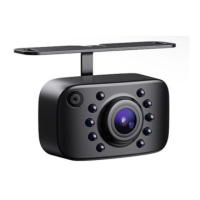
Q: What should I do if the camera was water-in and fogging?
A: It will cause the fogging issues if there is a difference of high& low
temperature, just wait a few hours and it will be back to normal,
otherwise, there is a temperature difference.
Q: What should I do if there is a mirror reversal?
A: Cut the green line, the mirror function disappears will become a
normal image, at this time it can be as front camera.
Q: How can I cancel the reversing line?
A: Just cut the small white line of the camera, the reverse line
disappears,


 To Next Page