INSTRUCTIONS MANUAL
or"video input" in the menus.
4.4 Other Descriptions
4.4.1 The function of the Camera Wire
1) Cut white wire will close the parking guide lines ( default with guide
lines).
2) Cut the green wire will switch image to facing front view (default is
mirror rear view).
NOTE: If you cut the camera cable, you need to disconnect the power
of the camera and reconnect it, so that the function will be displayed.
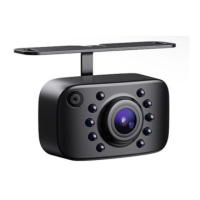
4.4.2 Small Bracket
If you want to use the small bracket to install, you can use a screwdriver
to remove the large bracket, replace it with the small bracket, and then
install it in the location you want, but it requires drilling.
4.4.3 Additional Notes
1) Please connect the wire tightly .
2) If the camera is connected to the fuse box, you need to pay attention to
the loss of power in the vehicle battery, a prolonged loss of power will
affect the start of the vehicle.
3) If the voltage is too high, the long-term work will lead to damage for
the camera.
4) The camera is CVBS, please check if your head units is compatible
with CVBS.
5) If you don't need the guide lines, you can cut the white wire/ loop. If
you still need to use it after cutting it off, please reattach it.


 To Next Page