4
• Hands-free Mode – When receiving
incoming call or during phone call.
Note: During hands-free mode, only the
LEFT earphone will be active. This is a safety
feature built into the MUSE 5.
POWERING ON
1. Long press LEFT button for 2 seconds,
listen for:
• “Power on” followed by a beep
• “Your headset is connected”
2. Long press RIGHT earphone for 2
seconds, listen for:
• “Power on” followed by a beep
• “True wireless stereo connected” –
indicating successful pairing to LEFT
earphone
POWERING OFF
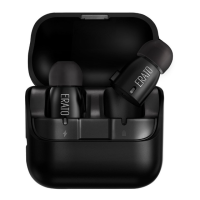
• Insert into charging case and earphones
will automatically power off.
• From Stand-by Mode, press and hold for 2
seconds either LEFT or RIGHT buttons
Answering Incoming Call
• Press LEFT button once
Rejecting and Ending Call
• Press and hold LEFT button for 2 seconds
Increase/Decrease Hands-Free Volume
• Only can be adjusted by your host
devices (Phones or pads)
Activating Siri/Google Now
(for supported
devices only)
• From Stand-by Mode, double press LEFT or
RIGHT button
Playing and Pausing Music
• During Media Mode, press LEFT or RIGHT
button to play/pause media
Increase/Decrease Media Volume
• Increase: During Media Mode, double
press on RIGHT button.
2 beep indicates volume are at max
level.


 To Next Page