EasyManua.ls Logo

Erco & Gener GenPro 20e - User Manual

Erco & Gener GenPro 20e
51 pages
Print Icon
To Next Page IconTo Next Page
Loading...
L’esprit Modem
User Guide
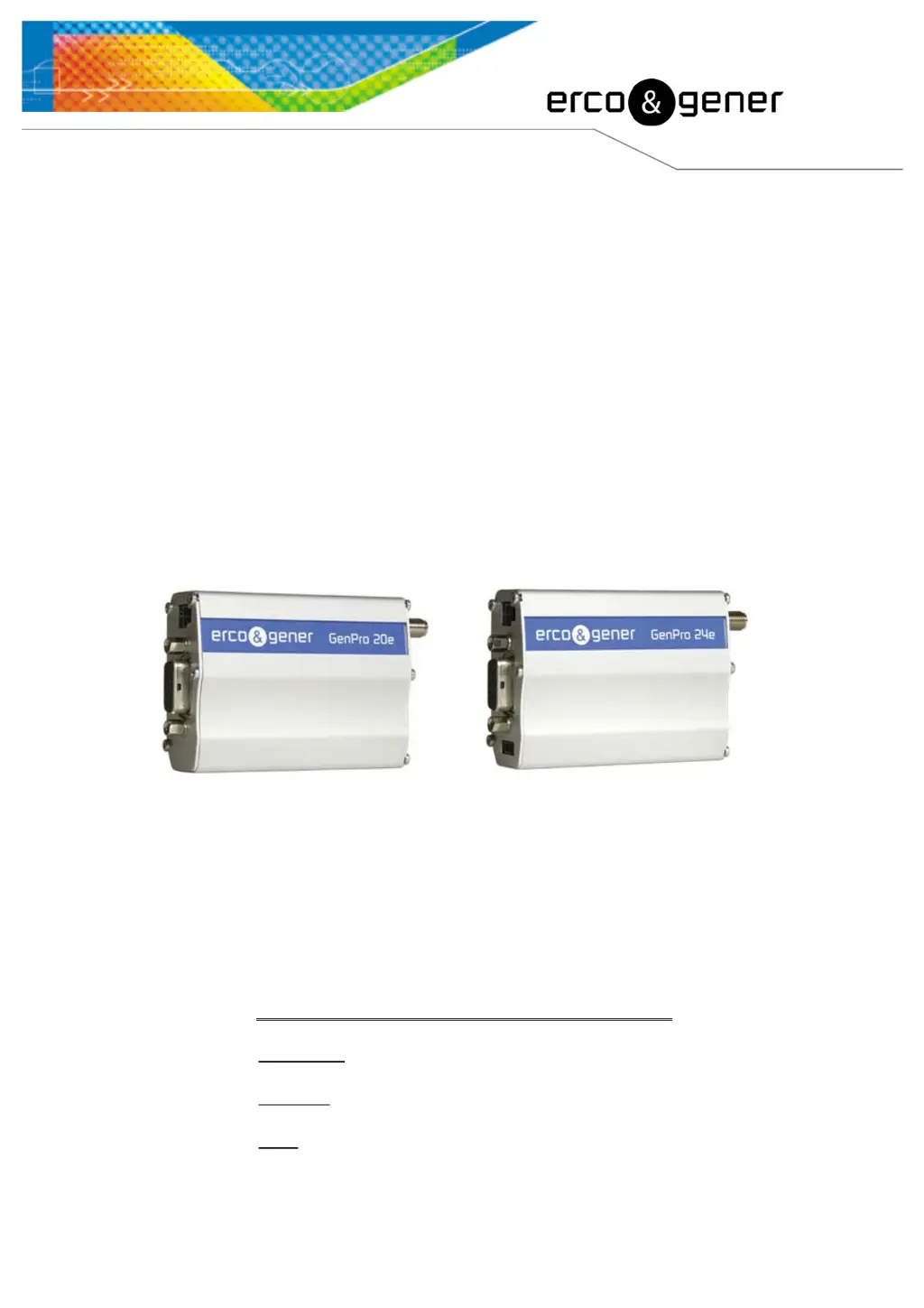
GenPro 20e
GenPro 24e
Reference : EG_GenProxxe_988_UG_008_UK
Revision : 008
Date : 24/06/2011
S.A. ERCO & GENER – ZI de St. Lambert-des-Levées – BP 30163 – F-49412 SAUMUR Cedex
Tél. : +33 (0)2 41 83 13 00 – Fax : +33 (0)2 41 67 19 20 – www.ercogener.com – infos@ercogener.com
SA CAPITAL 200873 – R.C. SAUMUR B 332 174 820 – SIRET 332 174 820 00032 – NAF 322A – TVA Intra : FR 16 332 174 820

Table of Contents

Questions and Answers

Summary

Presentation

Warning

Copyright and Disclaimer

References

Product Differences

Compares features between GenPro 20e and GenPro 24e models.

Reference Documents

Lists other relevant documents for the GenPro modem.

Abbreviations

Glossary of technical abbreviations used in the manual.

Packing

Contents

Lists the items included in the GenPro package.

Packing Case

Details the external dimensions and labels of the packing case.

Modem Labels

Describes the labels attached to the underside of the modem.

General Presentation

Physical Description

Describes the physical appearance and connectors of the GenPro modem.

External Connections

Details the different external connectors and interfaces of the modem.

15-pin Sub HD Connector

Describes the 15-pin Sub HD connector and its pin assignments.

Cables

Describes the different types of cables supplied with the modem.

Characteristics And Services

Available Options and Accessories

Lists optional features and accessories available for the GenPro modem.

Using The Modem

Starting with the Modem

Guide on how to start and install the GenPro modem.

Communication with the Modem

Instructions for establishing communication via RS232 and using AT commands.

Re-initialisation of the Modem

Explains how to reset the modem using the hardware RESET signal.

Vehicle Usage Recommendations

Provides guidance on safely connecting and using the modem in vehicles.

GSM Indicator LED

Explains the different states indicated by the modem's GSM LED.

AT Commands Echo Deactivated

Instructions for managing AT command echo behavior for communication.

GSM Signal Quality Verification

How to check the GSM signal strength and bit error rate using AT commands.

PIN Code Verification

Steps to verify the SIM card PIN code status.

GSM Network Registration Verification

Procedure to check if the modem is registered on the GSM network.

Main AT Commands

Overview of essential AT commands for modem control.

Powering Down the Unit

Correct procedure for powering off the GenPro modem.

Updating Modem Software

Guide to upgrading the modem's firmware and software.

Trouble Shooting

RS232 Communication Problems

Solutions for issues with RS232 serial communication.

NO CARRIER Message

Troubleshooting steps for the 'NO CARRIER' response during calls.

Functional Description

Architecture

Overview of the GenPro modem's internal architecture and modules.

Power Supply

Details the power requirements and voltage range for the modem.

Protection

Describes internal and external protection mechanisms for the modem.

RS232 Serial Link

Explains the RS232 interface, signals, and protection features.

Auto-baud Mode

Describes the modem's automatic baud rate detection feature.

Pins Description

Details the pin assignments for the Sub HD connector.

General Purpose Inputs;Output

Explains the functionality of general purpose inputs and outputs.

Reset Functionality

General Reset Information

Explains the hardware RESET signal and its usage.

RESET Sequence

Details the procedure to activate the emergency hardware RESET sequence.

Audio Features

WatchDog Functionality

Describes the hardware watchdog for monitoring software activity.

Audio Interface

Overview of the audio interface for connecting handsets.

Loud-speaker

Details the loud-speaker output characteristics and gain adjustment.

Buzzer Output

Describes the optional buzzer output and its control command.

Technical Characteristics

Mechanical Specifications

Provides dimensions, weight, case material, and ingress protection.

Electrical Specifications

Details voltage range, power consumption, and effects of voltage deviations.

Audio Interface Characteristics

Specifies characteristics of the microphone and loud-speaker connections.

Buzzer Option Characteristics

Details the specifications for the optional buzzer output.

SIM Interface

Describes the SIM card interface characteristics.

General Purpose Inputs;Output

Details the characteristics of the general purpose inputs.

General Purpose Output

Describes the characteristics of the open-collector output.

RESET Signal Electrical Characteristics

Specifies the electrical properties of the RESET signal.

GSM;DCS Frequency Bands

Lists the frequency ranges for GSM 900 and DCS 1800 bands.

RF Performances

Details receiver and transmitter RF performance specifications.

External GSM Antenna

Specifies characteristics for external GSM antennas.

Environmental Characteristics

Lists operating temperature, storage, and humidity limits.

Standards and Conformities

Outlines product compliance with R&TTE, automotive, and EMC standards.

Protections

Power Supply Protection

Details protection against power supply issues including fuses.

Over-voltage Protection

Describes protection against voltages exceeding +32 VDC.

ESD Protection

Explains the modem's resistance to Electrostatic Discharge.

Miscellaneous Protections

Covers EMI/RFI filtering and signal smoothing.

Security Recommendations

General Security Advice

Important safety guidelines for using radio operator equipment.

Vehicle Security

Safety recommendations for using the modem while driving a vehicle.

Care and Maintenance

Guidelines for preserving the product's condition and lifespan.

Your Responsibility

User responsibilities regarding modem care, security, and functions.

Recommended Accessories

Client Support

Declaration of Conformity

Erco & Gener GenPro 20e Specifications

General IconGeneral
BrandErco & Gener
ModelGenPro 20e
CategoryModem
LanguageEnglish

Related product manuals