SR2 Technical Manual EN
Indice : C 25/03/2019
Firmware v2.9
19 / 31
ERECA SAS - 75 rue d'Orgemont, 95210 St Gratien France T : +33 1 39 89 76 23 W : www.ereca.fr
2.4.8 OLED Display
•
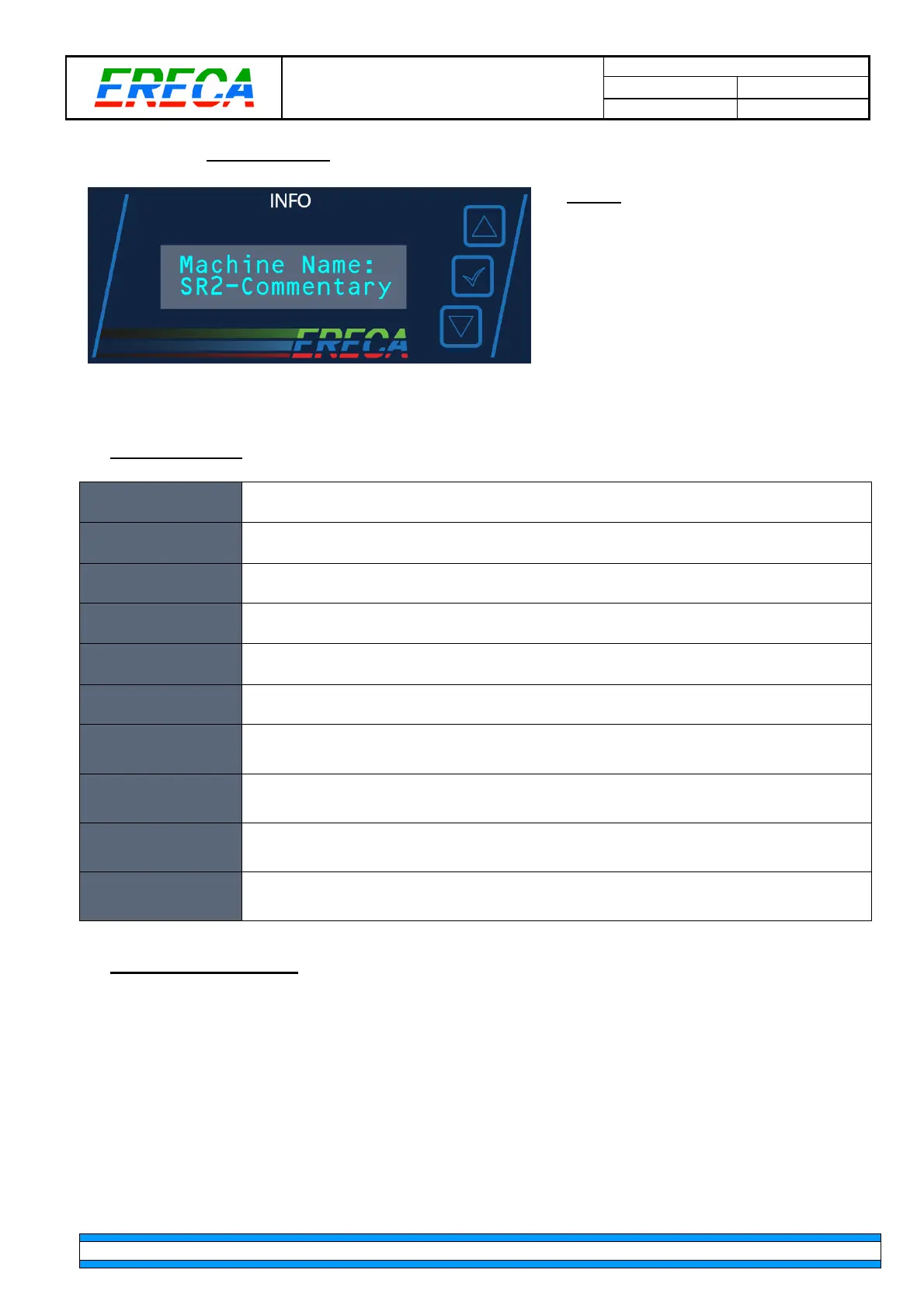
Screen
This section provides a list of real time
information for control purposes.
The blue buttons on the right allow
navigating between the different information
listed below and allows performing a factory
reset of the unit. (Need firm finger press in
their center).
•
List of messages
Machine Name:
SR2-Commentary
Name of the machine set in the web interface
IP address:
192.168.1.248
IP address of the machine set in the web interface
MAC Address:
507E:EC00:4107
MAC address of the machine
TA Rx 0.2 dBm
TB Rx -0.4 dBm
Lowest optical power received on Trunks A & B
TC Rx -6.5 dBm
TD Rx -40 dBm
Lowest optical power received on Trunks C & D
Intern Tp 38 Deg
Fan Speed 9%
Internal temperature of unit (operating range: -20°C to +60°)
Fan speed is automatically adjusted depending on internal temperature
Trunk A load
In: 4% Out: 0%
Occupation of trunk A
In: Bandwidth occupation of signals coming from the distant Node
Out: Bandwidth occupation of signals sent to the distant Node
Trunk B load
In: 40% Out: 32%
Occupation of trunk B
In: Bandwidth occupation of signals coming from the distant Node
Out: Bandwidth occupation of signals sent to the distant Node
Trunk C load
In: 75% Out: 67%
Occupation of trunk C
In: Bandwidth occupation of signals coming from the distant Node
Out: Bandwidth occupation of signals sent to the distant Node
Trunk D load
In: 0% Out: 0%
Occupation of trunk D
In: Bandwidth occupation of signals coming from the distant Node
Out: Bandwidth occupation of signals sent to the distant Node
•
Reset from pushbuttons
The unit can be individually reset to factory default configuration.
It is important to understand all configuration made on this unit will be lost. Therefore, we recommend you to
make a backup of the unit via the web interface prior to this operation.
To perform a factory reset:
- Disconnect the unit from the network by temporarily remove the trunks fibres connected to it
- Press and hold the
up
and
down
button for 3s and wait for the message “Press Val…” to appear
- Then the
validate
button on the right side of the screen needs to be pressed within 5s, otherwise, the
operation will cancel automatically.
- After the operation is complete, it is recommended to reboot the unit.



 To Next Page