SR2 Technical Manual EN
Indice : C 25/03/2019
Firmware v2.9
27 / 31
ERECA SAS - 75 rue d'Orgemont, 95210 St Gratien France T : +33 1 39 89 76 23 W : www.ereca.fr
3.3.2 Establish a route between ports
The connection between an input and an output is done by a simple click between two ports (in & out).
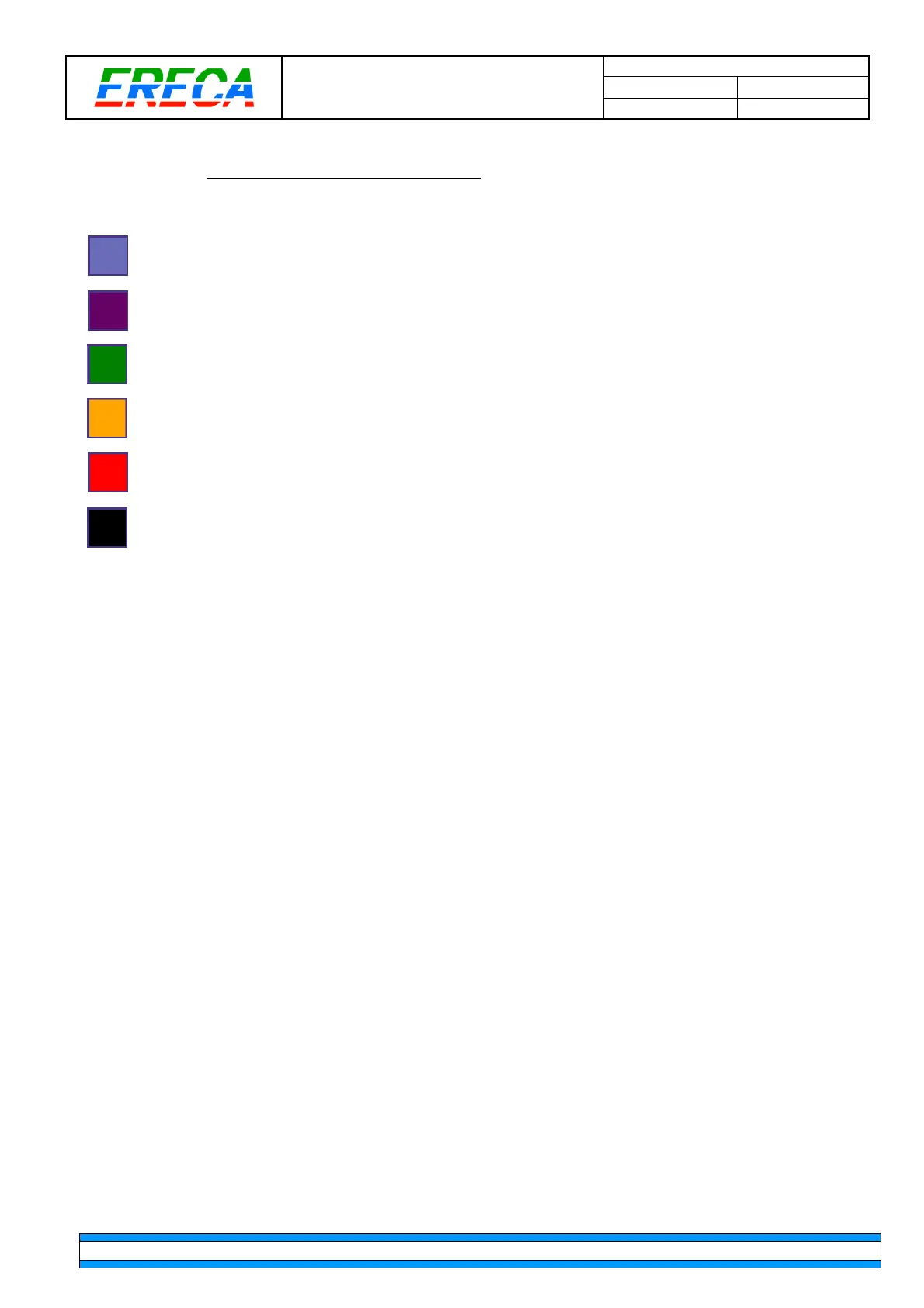
The route can be established, meaning user can click to establish a new crosspoint.
The route is already in use, which means the output is already fed by an input signal.
To change the latter, simply select another input to establish a new route.
A correctly established route is represented in Green when the path taken by the signals have
redundancy.
A correctly established route is represented in Orange when the path taken by the signals cannot
have redundancy regarding the actual network topology.
If there is not enough bandwidth available between two machines, then connection is unrouteable.
If possible, it is recommended to add another trunk between the units to increase bandwidth.
Any input can be patched to an output as long as the corresponding output is compatible.
For example: A 12G input can only be sent to a 12G output port. As well a 12G input cannot be
routed to a 3G output. In this case, the grid cross point is displayed in back and cannot be selected.



 To Next Page