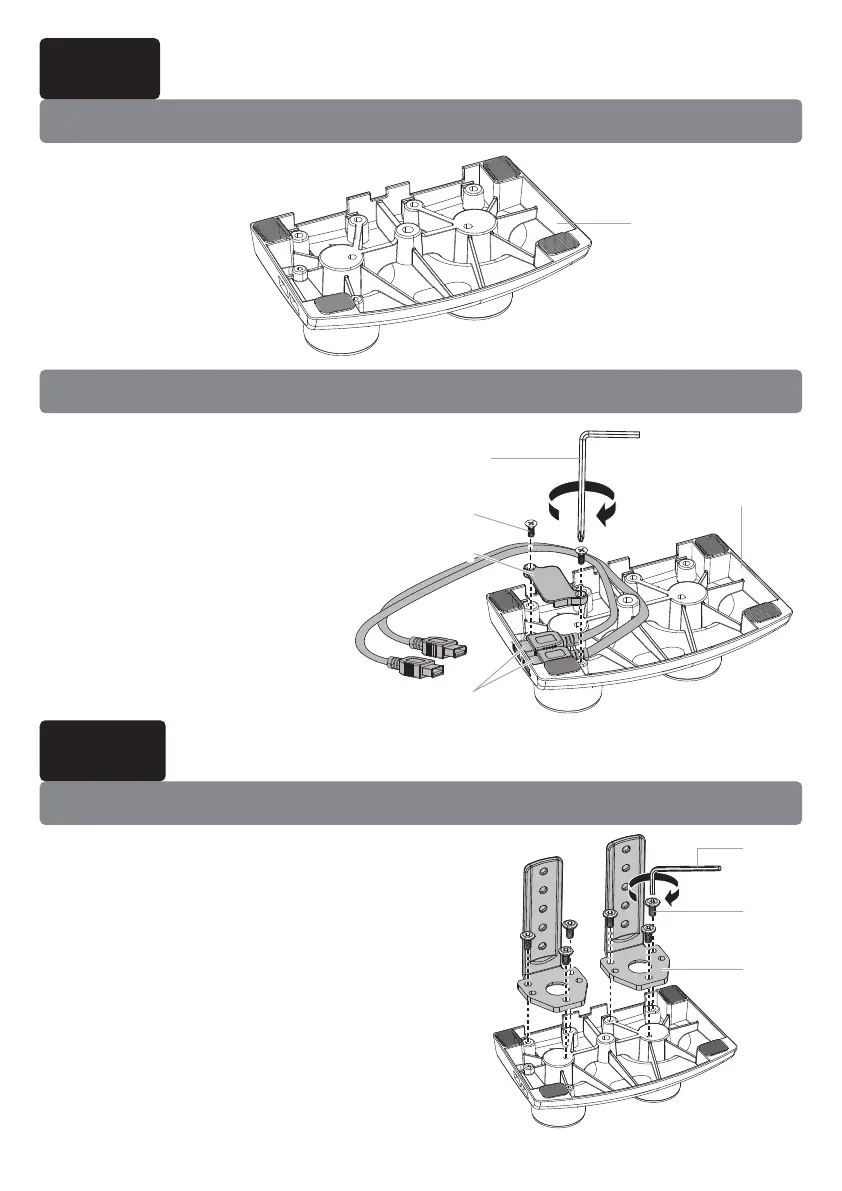
2A-1 Insert bolts [C] through C-clamp brace
[03] and thread into base [01]. Tighten with
medium Allen key [M2].
Route USB cables under base as
demonstrated in the following
diagram.
Use bolts [B] to attach USB
pressure plate [A] to hold the
USB cable in the base.
Option A: No USB Cable
Option B: Route USB Cable
Option A: For Clamp Mounting
Step 1 Attach the USB Cable
Step 2 Attach to Desk Mounting Surface
0101
0202
M3
M3
B
B
A
A
01
01
CC
03
03
M2
M2
07


 To Next Page