F
13
FF
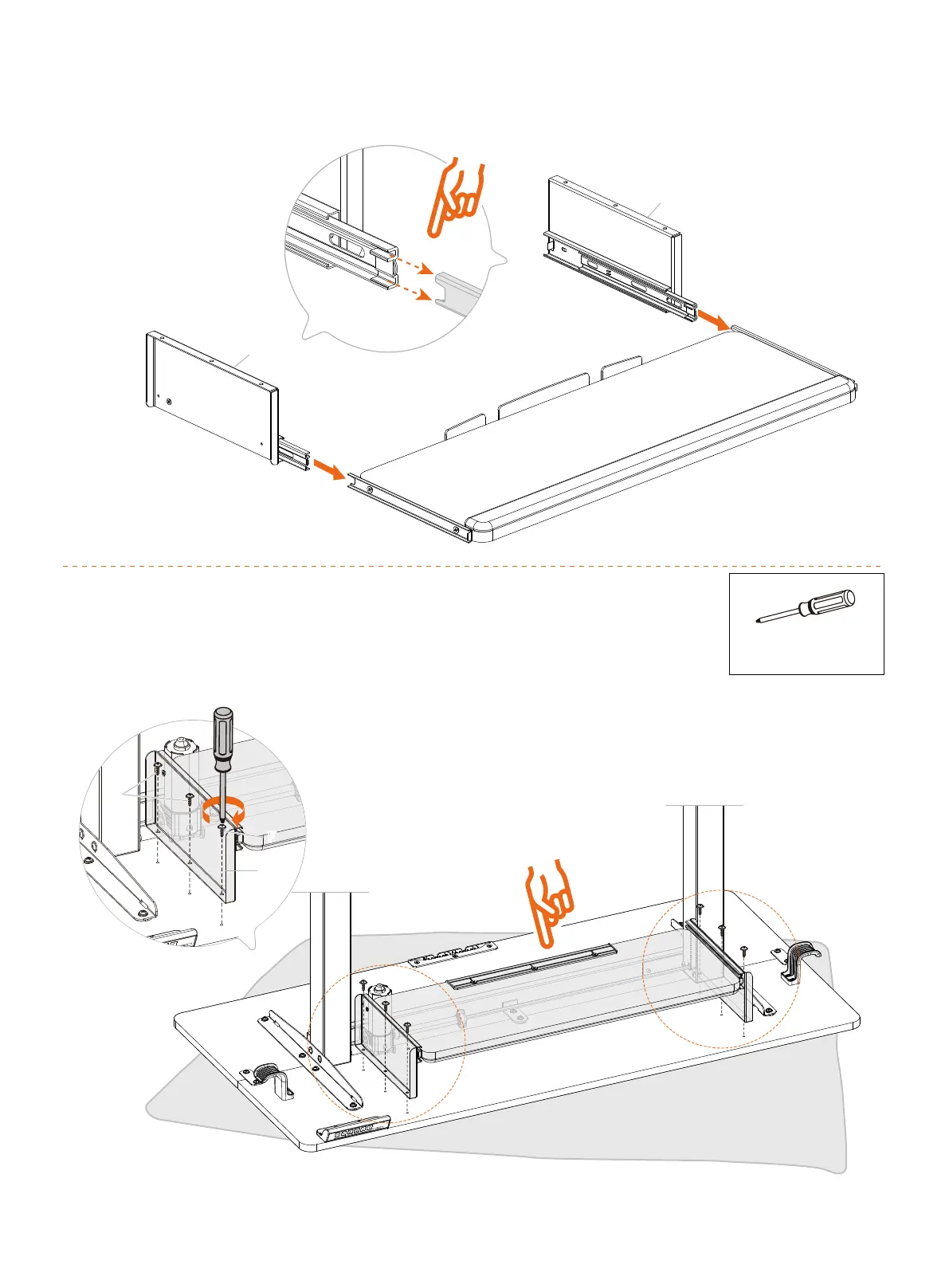
NOTE: Note the position of
the stopper on the keyboard
tray in this step.
Phillips Screwdriver
(not included)
Attach the assembled keyboard tray to the desk.
You can use a Phillips screwdriver instead of a drill for
easier access to screw in the screws.
Pull out the inner parts of the drawer slides a little for easier keyboard
tray alignment. Then align and insert the tray.
12
13
10



 To Next Page