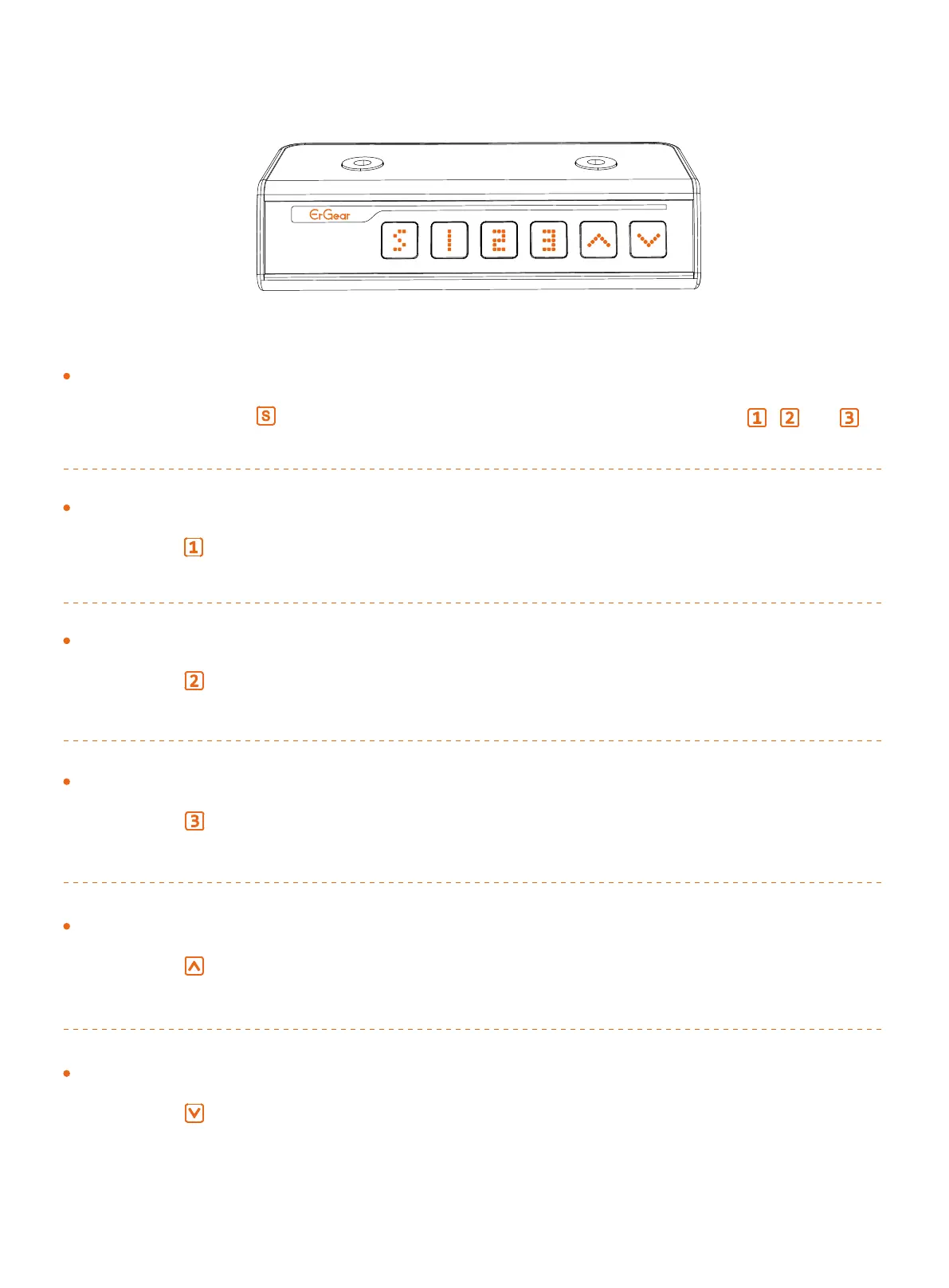
Using the Controller
Select Height Setting 1
Press the button, and the desk will move to the height that was
previously set for that button.
Select Height Setting 2
Press the button, and the desk will move to the height that was
previously set for that button.
Select Height Setting 3
Press the button, and the desk will move to the height that was
previously set for that button.
Raise the Desk
Press the button to raise the desk continuously until it reaches the
highest position of 46.5” (118cm) or the button is released.
Lower the Desk
Press the button to lower the desk continuously until it reaches the
lowest position of 28.3” (72cm) or the button is released.
Save Current Height Setting
Short-press the button, and the display will flash. Press the , , or
button to save the current height setting to that button.
12


 To Next Page