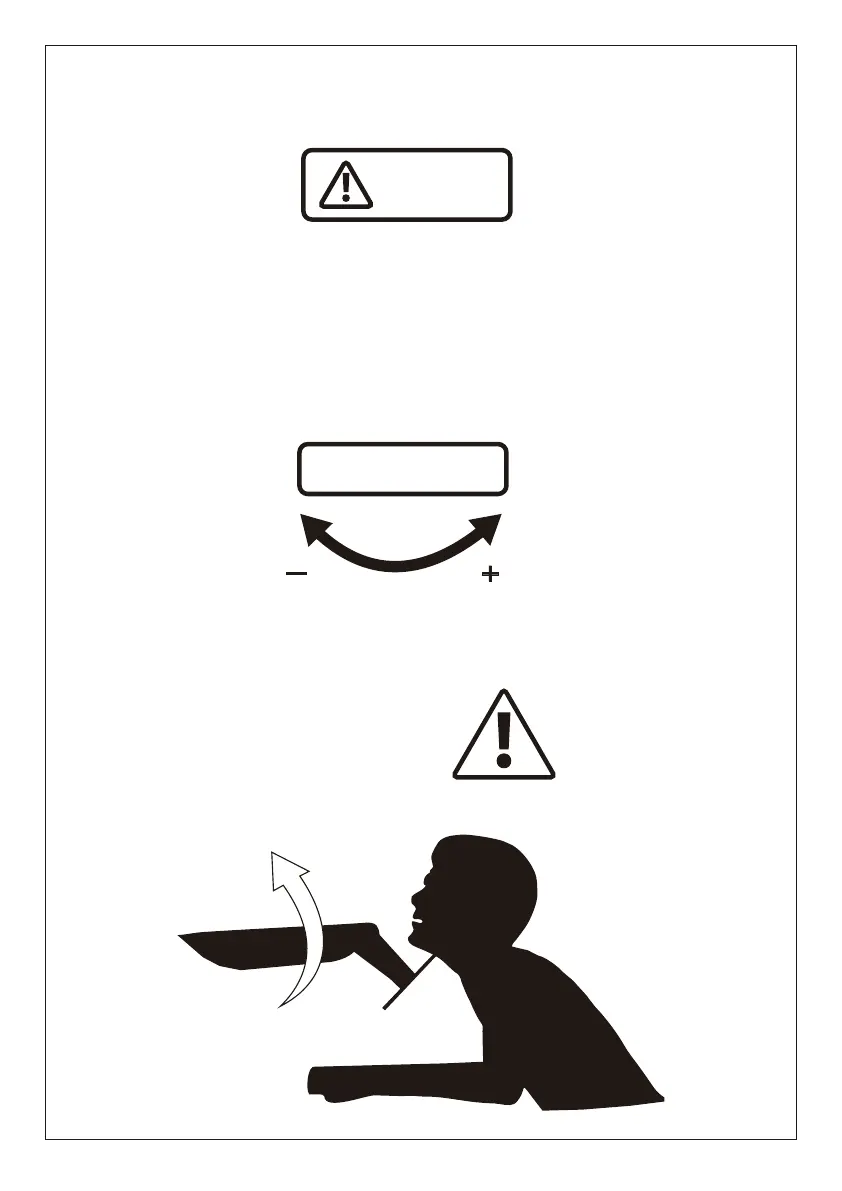
Do not adjust tension without monitor.
1. Ensure monitor has been attached to the mount.
2. Read your monitor box or manual to find out monitor net weight.
3. Ensure the net weight of monitor (including accessories) is between
4.4~17.6 Ibs (2-8 kg) per arm.
Clockwise to reduce
tension (carry less weight)
Counter-clockwise to increase
tension(carry more weight)
TENSION ADJUSTMENT SHOULD BE DONE ONLY
AFTER MOUNT INSTALLATION
Warning
Warning!
Adjustment Sign
01 02 03 04 05 06 07
08
09 10 11 12 13
14 15 16 17
18 19
20 21 22 23 24 25 26
27 28 29 30
31 32
33 34 35 36 37 38 39
40 41 42 43
44 45
46 47 48 49 50 51 52
53 54 55 56
57 58
59 60 61 62 63 64 65


 To Next Page