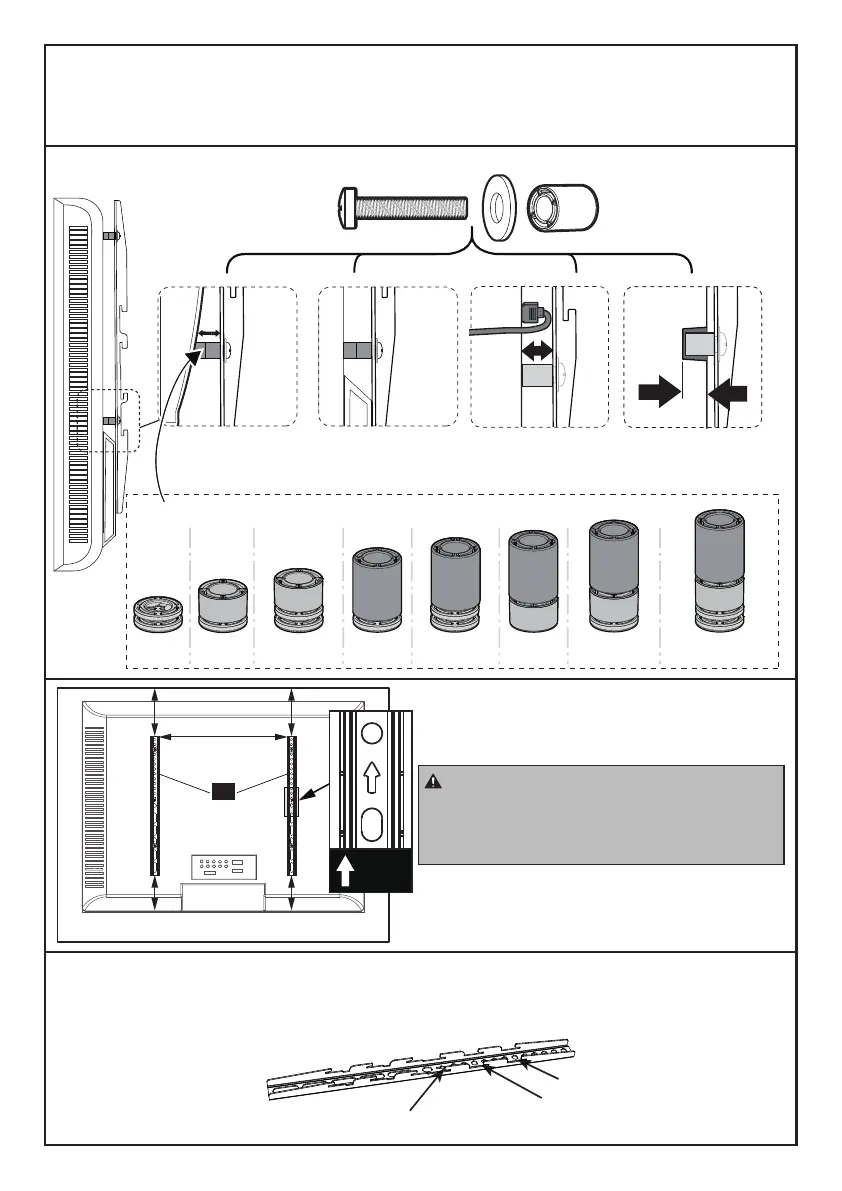
Please Note: When using the spacers it is important to note that they can be used in
multi-layers (meaning stacked). If you have any difficulty understanding how to install
the TV bolts or spacers, please contact our Technical Support line at (877) 419-7832
or customer service at support@ergoav.com.
N
When attaching the TV brackets to the
back of the TV, ensure the Up Arrows are
pointing to the top of the TV and are
equally centered on the back of the TV.
UP
TV Brackets have “three height locations”, which determines the height
position of your TV while attaching your TV on the stand in Step 5 on page 11.
You can choose the proper height.
Height Location #1
Height Location #3
Height Location #2
Bump
See Option C
Cables
See Option D
Recessed Holes
See Option E
Spacers
Curved TV
See Option B
Parts Needed if You Have a TV as Shown Below
F1+F1 F1+F2 F1+F3F1+F1+F2 F1+F1+F3 F2+F3 F1+F2+F3 F1+F1+F2+F3
05



 To Next Page