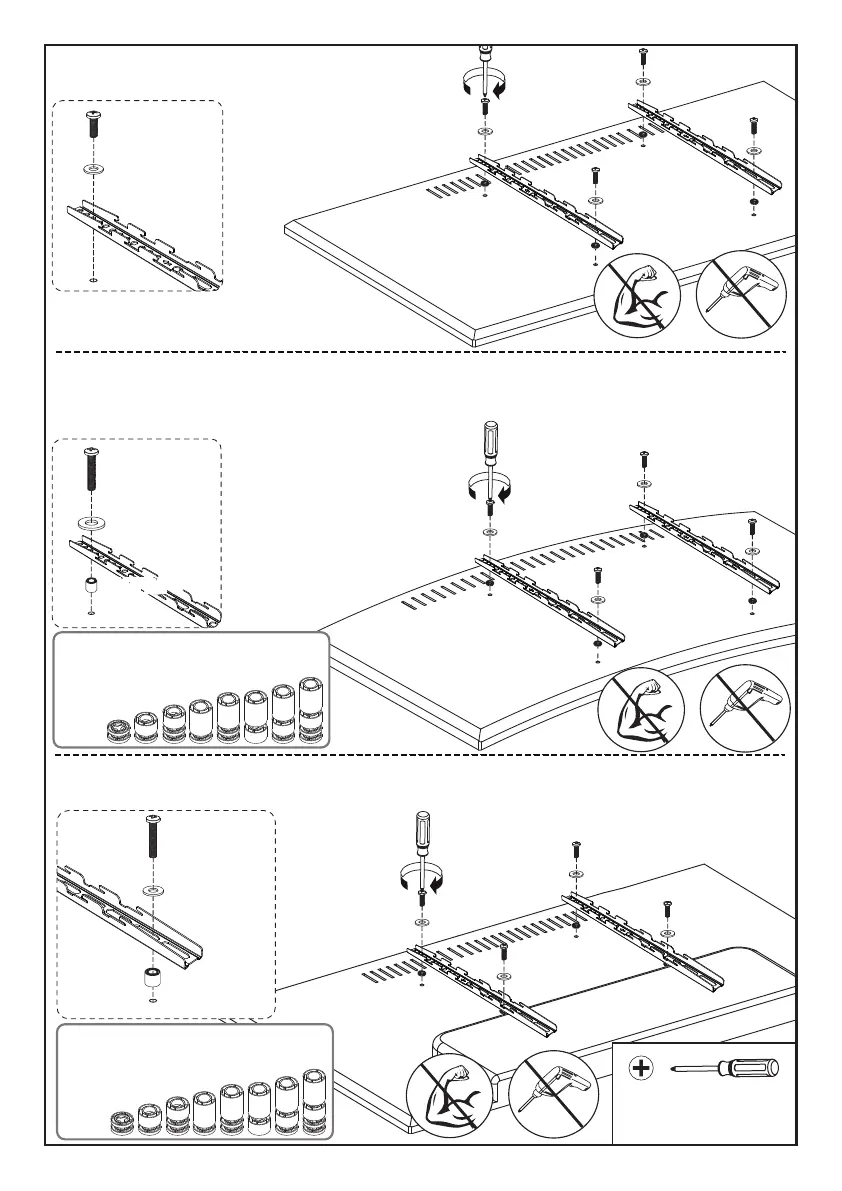
Option A (For Flat Back TV )
B1/B2
C1/D1/E1
Option B (For Curved Back TV)
Option C (For TV with A “Bump”)
B1/B2
C2/D2/E2/E3
Phillips Screwdriver
(Not lncluded)
Refer back to Spacer Instructions
on Page 05, If needed
B1/B2
C2/D2/E2/E3
F1/F2/F3
Spacers must be large enough so TV bracekts are flush (NO GAP) on bump.
Refer back to Spacer Instructions
on Page 05, If needed
Spacers must be tall enough so that the curve on the back of the TV will not
interfere with the mounting plate.
F1/F2/F3F1/F2/F3
06



 To Next Page