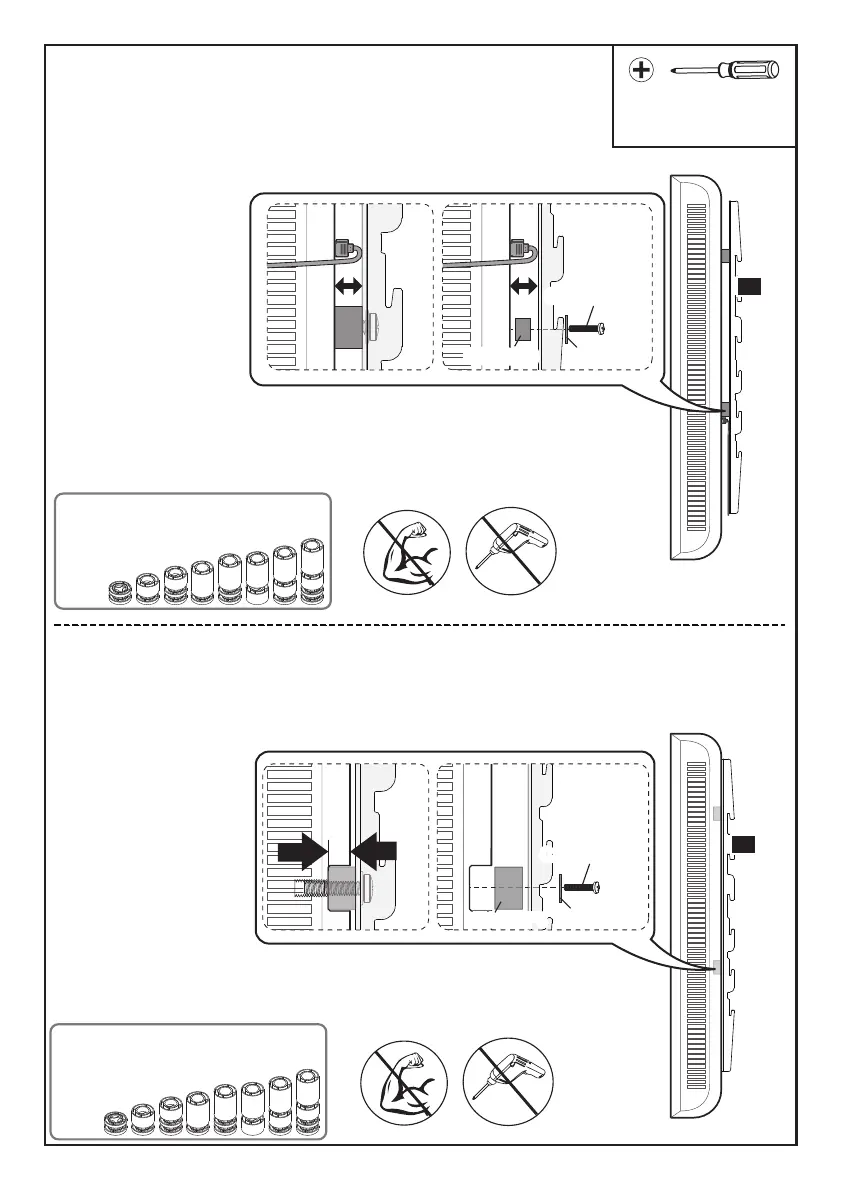
Option D (for TV with Cable Interference)
Option E (For Recessed Holes )
For cable interference, use spacers [F1], [F2] and [F3]
to create extra space between the TV and TV brackets.
N
Phillips Screwdriver
(Not lncluded)
Refer back to Spacer Instructions
on Page 05, If needed
Refer back to Spacer Instructions
on Page 05, If needed
N
The spacer need to fill in the recessed holes on the basis of the TV so
that the TV brackets are as close to the TV as possible.
C2/D2/E2
B1/B2
F1/F2/F3
C2/D2/E2/E3
B1/B2
F1/F2/F3
F1/F2/F3F1/F2/F3 B1/B2
C2/D2/E2/E3
B1/B2
C2/D2/E2/E3
07



 To Next Page