EasyManua.ls Logo

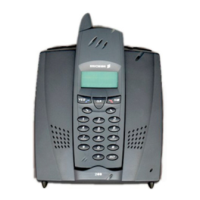
Ericsson 230 - User Manual

Ericsson 230
107 pages
Print Icon
To Next Page IconTo Next Page
Loading...

Table of Contents

Questions and Answers

  • U
    uwilsonAug 13, 2025
    Why does my Ericsson Cordless Telephone make a warning tone and the battery icon is flashing?
    • K
      Karen JohnsonAug 13, 2025
      If you hear a warning tone and see the battery icon flashing on your Ericsson Cordless Telephone, it means the battery is almost flat. Place the handset in the base station to charge the battery.
  • R
    Rhonda TaylorAug 17, 2025
    Why is the external line light on my Ericsson Cordless Telephone base station flashing quickly?
    • G
      Gerald BryantAug 17, 2025
      If the external line light on the Ericsson Cordless Telephone base station is flashing quickly, there is a problem with the connection between the base station and the telephone line. Check the telephone line cable.
  • R
    Richard HernandezAug 21, 2025
    Why can't I switch on my Ericsson Cordless Telephone handset?
    • J
      Jodi SanchezAug 21, 2025
      If you cannot switch on the handset of your Ericsson Cordless Telephone, it's likely that the battery is almost flat. Try putting the handset in the base station to charge it.
  • R
    Robert TorresAug 25, 2025
    Why does my Ericsson Cordless Telephone keep on hearing the dial tone after dialing a number?
    • C
      Crystal SilvaAug 26, 2025
      If you dial a number on your Ericsson Cordless Telephone and still hear the dial tone, you probably have to set the base station to another dialling method.
  • T
    Traci DaviesAug 28, 2025
    What to do if the green charging light does not come on when the Ericsson Cordless Telephone handset is in the base station?
    • J
      John ArroyoAug 28, 2025
      Ensure that the Ericsson Cordless Telephone handset is placed properly in the base station and the base station is on.
  • D
    Denise JamesSep 1, 2025
    Why can't I use the phone book on my Ericsson Cordless Telephone?
    • R
      Robert WileySep 1, 2025
      If you cannot use the phone book on your Ericsson Cordless Telephone, the phone book in the handset is likely empty. To use it, you need to add names and numbers.
  • S
    Steven MasonSep 5, 2025
    Why can't I call certain numbers on my Ericsson Cordless Telephone?
    • S
      Sean MarshallSep 5, 2025
      If you cannot call certain numbers on your Ericsson Cordless Telephone, call barring might be active, or your call budget has been exceeded.
  • H
    Hannah DavisSep 8, 2025
    Why does nothing happen when I press the R key on my Ericsson Cordless Telephone?
    • H
      Hector JohnsonSep 9, 2025
      If nothing happens or the call ends when you press the R key on your Ericsson Cordless Telephone, you may have selected the wrong signalling method.

Summary

Introduction and Features

What to Read First

Guidance on how to use the user's guide and find information.

Cordless Phone Features

Highlights key capabilities and benefits of the cordless phone.

Phone Components Overview

Handset Components

Diagram and labels identifying parts of the handset.

Base Station Components

Diagram and labels identifying parts of the base station.

Getting Started

Quick Start Guide

Fast steps to get the phone operational and ready for initial use.

What is in the Box

Lists the contents included in the product package.

Preparing for Use

Step-by-step instructions for setting up the cordless phone.

Basic Operations

Important Notes

Covers PIN code, operating range, and general important information.

Battery Information

Details on placing, reading, charging, and changing the handset battery.

Switching Handset On and Off

Instructions for powering the handset on and off.

Telephoning Functions

Brief Guide to Using the Base Station

Overview of connecting and using the base station for calls.

Making Your First Call

Step-by-step guide to making an initial call.

Understanding the Display

Explains signal strength, base station name, and other display information.

Advanced Telephoning

Making Calls and Using Phone Book

Details on making calls, using the phone book, and redialling.

Call Management Features

Returning calls, receiving second calls, and call transfer.

Three-Party Calls and Dialling Pauses

Conducting conference calls and setting dial tone pauses.

Phone Book Management

Phone Book Use and Entry

Overview of phone book capacity and guide to entering names.

Adding and Editing Contacts

Detailed steps to add new, last dialled, or caller's numbers.

Deleting and Editing Entries

Procedures for modifying or removing contacts from the phone book.

Personalizing the Handset

Language and Volume Settings

Adjusting menu language, earpiece, and ring volume.

Ringer and Alert Customization

Configuring discreet ringing, key click, and ringer tones.

Display Settings and Reset

Adjusting display light, contrast, and clearing all handset settings.

Personalizing the Base Station

Base Station Settings (PIN, Language)

Changing base station PIN and menu language.

Ringing Configuration

Adjusting ring volume, order, and number of rings.

Call Waiting and Priority Phone

Managing call waiting notifications and setting priority phone.

Security and Access Control

Blocking Handset Keys and Locks

Securing the handset against unauthorized use and accidental presses.

PIN Code Management

Changing and unblocking handset and base station PIN codes.

Overview PIN and Other Codes

Summary of default and personal security codes like PIN and IPEI.

Extra Features

Emergency Call and Baby Phone

Using the phone for emergency calls and as a baby monitor.

Direct Call and Call Barring

Configuring direct dialling and preventing specific calls.

Exempt Numbers and Call Tariff

Allowing exceptions to call barring and setting call costs.

Call Management and Statistics

Call Budget Feature

Setting and checking call spending limits for handsets.

Call Statistics

Tracking call duration and cost for handset and base station.

Base Station Connectivity

Subscribing Handsets

Connecting additional handsets to the base station.

Selecting Another Base Station

Connecting to multiple base stations and managing selection.

Editing Base Station Name

Assigning a personal name to a connected base station.

Reference and Support

Tips and Tricks

Useful tips for using the phone's features.

Safety Instructions

Important safety precautions for using the cordless phone.

Troubleshooting Common Issues

Answers to common problems and questions.

Technical Information

Menu Structure Overview

A chart showing the main menu options and their hierarchy.

Maintenance and Specifications

Cleaning instructions and detailed technical specifications.

Warranty Information

Details on the product's warranty coverage and terms.

Index

Ericsson 230 Specifications

General IconGeneral
Talk timeUp to 10 hours
Standby timeUp to 100 hours
Number of Handsets1
Caller IDYes
Range300 meters

Related product manuals