Press YES and scroll with the navigation key
until you find the desired network.
If the desired network does not appear, press
YES when the question ‘Other?’ appears. Then
enter the three-digit country number and the
two-digit network number.
Finally, to add the network to the list, press YES.
Erasing a Network from the List
From the ‘Networks’ menu, select ‘Edit list’.
Scroll to the network you wish to erase and
press YES.
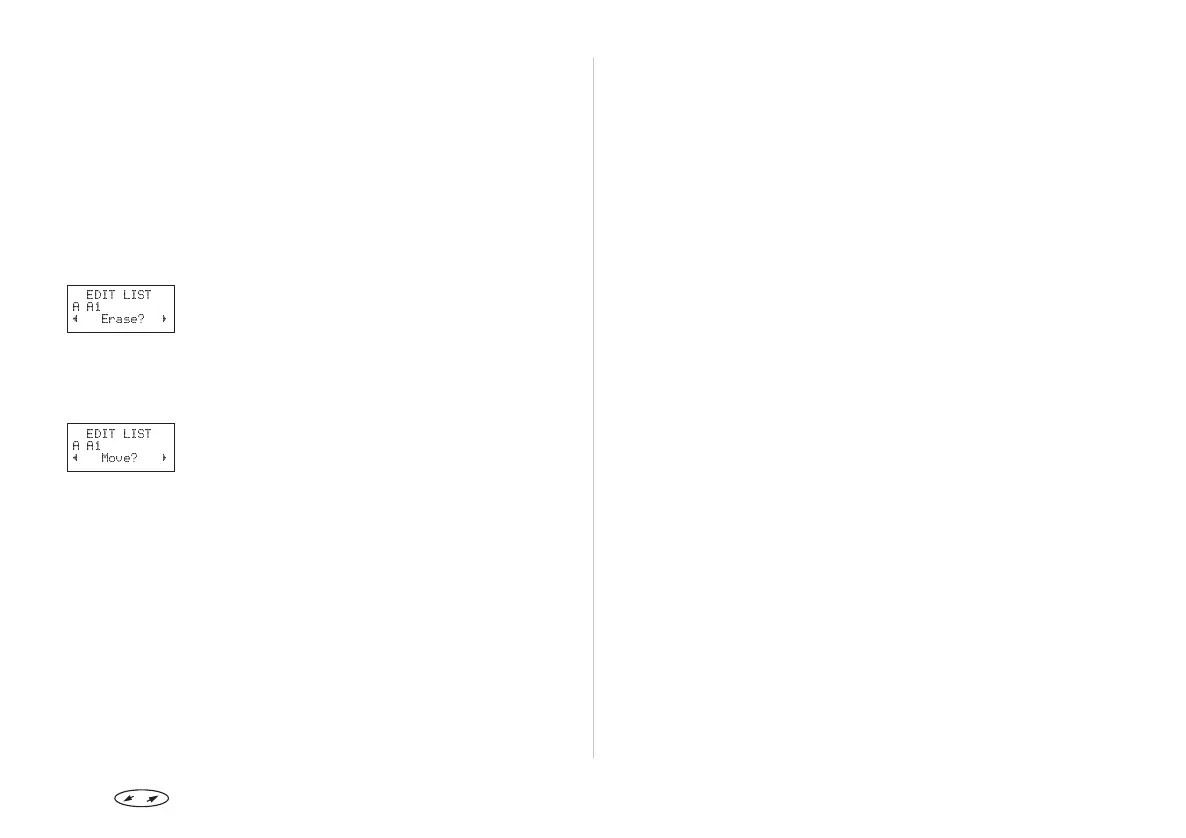
Scroll until ‘Erase’ appears.
To delete the network from the list, press YES.
Rearranging the List
From the ‘Networks’ menu, select ‘Edit list’.
Scroll to the network you wish to move and
press YES.
’Move’ is displayed. Press YES and enter the new
position within the list.
Press to enter the menu system. See inside the cover. 37
EDIT LIST
AA1
L
Erase?
R
EDIT LIST
AA1
L
Move?
R


 To Next Page