Need help?
Do you have a question about the Erreka ABC2M-009 and is the answer not in the manual?
Explains symbols used to highlight specific texts and their meanings.
Emphasizes reading the entire manual before installation for correct assembly and operation.
Defines the intended purpose of the device as part of an automatic swing gate system.
Outlines the necessary skills and knowledge for professional gate system installation.
Discusses the importance of safety elements for the complete gate system and installation.
Details all components required for the automatic gate system installation.
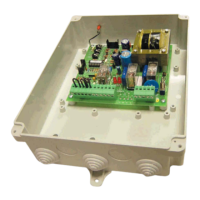
Describes the features and functions of the ABC2M-009 control panel.
Explains the different ways the gate can be opened, including step-by-step and community modes.
Details the various closing modes such as semiautomatic, automatic, and optional automatic.
Describes how the gate system reacts to obstacles during opening and closing.
States the compliance of the control panel with relevant safety directives and standards.
Instructions for safely opening the package and handling the contents.
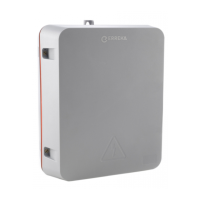
Lists the items included in the package and provides a visual guide.
Lists the tools required for the installation process.
Covers initial setup requirements, environmental factors, and electrical supply installation.
Provides guidance on physically mounting the control panel and other components.
Details the wiring procedures for connecting safety devices and other electrical components.
Illustrates the main wiring diagram for connecting various system components.
Explains how to connect the motors, including cable colours and terminal assignments.
Identifies and explains the function of various controls and switches on the panel.
Guides on connecting power and verifying the correct motor rotation direction.
Instructions for programming the radio code using the RSD-001 receiver.
Details the process for programming the full opening travel of the gate.
Instructions for setting the gate's partial or pedestrian opening position.
Explains how to configure the control panel's operational modes using the SW2 micro-switches.
Details how to adjust the torque settings for motor protection and obstacle detection.
Guides on performing final checks and initiating the system after installation and programming.
Provides instructions for regular checks and upkeep of the gate system components.
Outlines troubleshooting steps, explains LED indicators, and lists common problems and solutions.
Advises on obtaining original spare parts for repairs.
Provides guidelines for the responsible disposal and recycling of the control panel at the end of its lifecycle.
 General
| Brand | Erreka |
|---|---|
| Model | ABC2M-009 |
| Category | Control Panel |
| Language | English |


 To Next Page