10
Operting Instructions (Continued)
MANUAL COOKING MODE
In mnul cooking mode, the cooking durtion is controlled by the user without timer.
1. Rotte the Timer Knob counter clockwise to the “ M ” position to engge Mnul Cooking
mode. This will stop the oven from utomticlly powering o while in the “ M ” position.
2. Then turn the Temperture Knob nd the Function Knob to your required settings.
3. Once you hve nished cooking, turn ll knobs bck to their originl “ ● ” o positions.
MINUTE MINDER MODE
Use the timer control knob to set the oven to power o fter your set number of minutes.
Follow these steps to operte the oven in timer mode:
1. Rotte the Timer Knob clockwise to set your desired number of minutes
(between 15 nd 120 minutes).
2. Then turn the Temperture Knob nd the Function Knob to your desired settings.
3. At the completion of the set durtion, n lrm will sound to indicte tht cooking is
complete nd the oven will utomticlly power o.
VENTILATION
When cooking is nished, or in pused or stndby stte, nd if the oven cvity temperture
is over 75 degrees, the cooling fn will operte for 15 minutes or until the oven cvity
temperture become lower thn 75 degrees.
NOTE: The number of accessories included depends on the particular appliance purchased.
INSTALLATION
570
min.
560
606
600
80
250
100
Remark:
1.Only plus deviations are admissible for all dimension.
2.The cabinet is not include the power switch or socket.
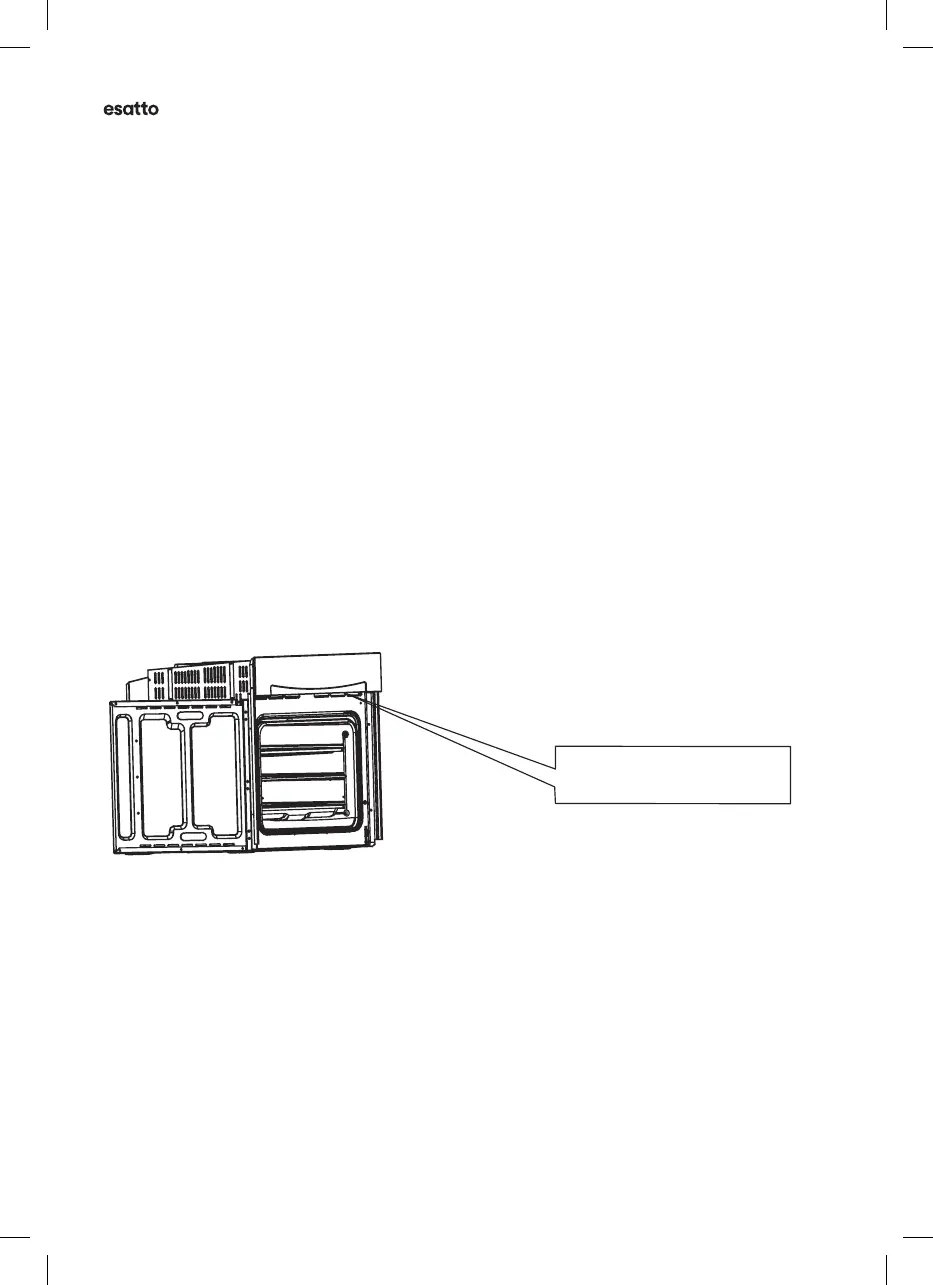
VENTILATING OPENINGS
CONNECTION OF THE OVEN
Ventilating openings
L
N
When cooking is finished, if the temperature of ventilating openings is over 70 degree, the cooling
fan will continue working. The cooling fan will not stop working until the temperature becomes
lower than 60 degree.
555
20
595
595
560
VENTILATION OPENINGS


 To Next Page
 Loading...