EasyManua.ls Logo

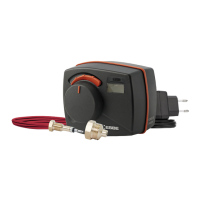
ESBE CRA110 series - User Manual

ESBE CRA110 series
24 pages
Print Icon
To Next Page IconTo Next Page
Loading...
SERIES CRA110
GB • DE • SE • PL • RU • ES • IT FR
• HR • CZ
GR
Question and Answer IconNeed help?

Do you have a question about the ESBE CRA110 series and is the answer not in the manual?

Summary

Unit Assembly Instructions

Assembly Steps

Mount actuator unit on valve and flow sensor on pipe using supplied tape.

Controller Start-Up Procedure

Setting Operating Direction

Set controller direction via joystick, connect power, and wait for confirmation.

Adjusting Target Flow Temperature

Changing Target Temperature

Change temperature by moving joystick and confirm by pressing it.

Advanced Settings Configuration

Navigating Advanced Settings

Access settings by holding joystick, navigate menus, select desired option.

Setting Maximum Flow Temperature

Configuring Maximum Flow Temperature

Access advanced settings, select 'Max', adjust temperature, confirm, and return to main menu.

Setting Minimum Flow Temperature

Configuring Minimum Flow Temperature

Access advanced settings, select 'Min', adjust temperature, confirm, and return to main menu.

Configuring Alternative Temperature

Setting Alternative Temperature via External Signal

Activate via external signal and set temperature as described in menu 3.

Activating Alternative Temperature

Connecting External Equipment

Connect external equipment to activate alternative temp, ensure proper connection resistance.

Summary

Unit Assembly Instructions

Assembly Steps

Mount actuator unit on valve and flow sensor on pipe using supplied tape.

Controller Start-Up Procedure

Setting Operating Direction

Set controller direction via joystick, connect power, and wait for confirmation.

Adjusting Target Flow Temperature

Changing Target Temperature

Change temperature by moving joystick and confirm by pressing it.

Advanced Settings Configuration

Navigating Advanced Settings

Access settings by holding joystick, navigate menus, select desired option.

Setting Maximum Flow Temperature

Configuring Maximum Flow Temperature

Access advanced settings, select 'Max', adjust temperature, confirm, and return to main menu.

Setting Minimum Flow Temperature

Configuring Minimum Flow Temperature

Access advanced settings, select 'Min', adjust temperature, confirm, and return to main menu.

Configuring Alternative Temperature

Setting Alternative Temperature via External Signal

Activate via external signal and set temperature as described in menu 3.

Activating Alternative Temperature

Connecting External Equipment

Connect external equipment to activate alternative temp, ensure proper connection resistance.

ESBE CRA110 series Specifications

General IconGeneral
SeriesCRA110
Power supply24 V AC/DC
Product TypeController
Supply Voltage24 V AC
Ambient Temperature Range0...55°C
Setpoint Range5-30°C

Related product manuals