EasyManua.ls Logo

ESCALADE Atomic - User Manual

ESCALADE Atomic
12 pages
Print Icon
To Next Page IconTo Next Page
Loading...
1-88 8 -996-2729
F AX : 1-866-873-3531
W e striv e t o ensur e tha t ou r product s ar e o f th e highes t quality
an d fre e o f manufacturin g defect s o r missin g parts . Howev e r ,
yo u hav e an y problem s wit h you r ne w product,
D O NO T RETUR N I T T O TH E S T ORE ,
pleas e contac t u s tol l fre e @:
O r writ e to:
Escal a d e Spor t s
Cust o me r Servi c e Depa r tme n t
P .O . Bo x 8 8 9
Evansvill e I N 47706
Y ou r Mode l Numbe r
G04801W/F
hav e you r mode l numbe r whe n inquirin g abou t parts.
gameroom@escaladesports.com
Please
Dat e Cod e
2 - G04801W/F - - HL
Whe n contactin g Escalad e Sport s pleas e provid e you r mode l numbe r , d at e
cod e (i f a pplicable ) an d par t n umbe r i f requestin g a replacemen t part . T hes e
number s ar e locate d o n th e product , packaging , an d t hi s owner s m anual .
Purchase Dat e
PLEASE RETAIN THIS INSTRUCTION MANUAL FOR FUTURE REFERENCE
1
Question and Answer IconNeed help?

Do you have a question about the ESCALADE Atomic and is the answer not in the manual?

Summary

Assembly Requirements and Tips

Two Adults Required for Assembly

Two adults are necessary for the safe and proper assembly of the 90" Indiglo Air Hockey Table.

Assembly Tip 1: Hand Tighten Bolts

Start all bolts by hand before tightening to ensure correct alignment and prevent cross-threading.

Assembly Tip 2: Refer to Text

Read and understand manual text as diagrams may be modified; prioritize written instructions.

Hardware Identification

Parts Identification

Assembly Steps

Step 1: Attach Legs

Attach the left and right legs to the air hockey table cabinet using Allen head bolts and washers.

Step 2: Install End Panels and Levelers

Install end leg panels and leg levelers, then tighten previous bolts and connect leg wires.

Electrical Connections Diagram

Step 3: Flip and Install Electronic Scorer

LED Rail Light Replacement

Troubleshooting LED Rail Lights

Check power, switch, adapter, and junction box connections before replacement.

Disassembly for Rail Light Replacement

Remove corner caps, side top rail, and unplug existing LED rail light.

Reassembly of LED Rail Lights

Install new LED rail lights, reconnect, and reassemble the side top rail and corner caps.

LED Leg Light Replacement

Troubleshooting LED Leg Lights

Verify power, switch, adapter, and junction box connections before proceeding with leg light replacement.

Disassembly for Leg Light Replacement

Disconnect scorer, remove leg, detach lens, and unplug LED leg light.

Reassembly of LED Leg Lights

Install new LED leg lights, reattach lens, leg, leveler, and scorer.

LED Puck Battery Change

Puck Battery Replacement Steps

Remove screws and cap, replace CR2016 battery, and reassemble the LED puck.

Puck Battery Usage Hint

LED puck battery lasts 7 hours; turn off when not in use to conserve life.

LED Striker Battery Charge

Striker Charging Instruction

Charge LED strikers via USB port; indicator turns off when fully charged.

Striker Battery Usage Hint

Strikers charge in 4 hours, last 7 hours; turn off when not in use.

Care and Use of Your Hockey Table

General Usage Guidelines

Use indoor outlets, avoid trip hazards, clean playfield with motor running, and do not sit or lean on table.

Table Placement and Maintenance

Place near wall, turn motor off when not in use, level table with leg levelers, and cover when not in use.

Product Parts List

90 Day Limited Warranty

Warranty Duration and Coverage

Product warranted to original owner for 90 days against defects in material/workmanship under normal use.

Warranty Void Conditions

Warranty void if damaged by accident, misuse, negligence, improper service, or failure to follow instructions.

Warranty Replacement Process

Contact Customer Service for replacement components or comparable product during the warranty period.

Warranty Disclaimers and Legal Remedies

Implied warranties limited to 90 days; no liability for incidental damages. Legal rights may vary by state.

Summary

Assembly Requirements and Tips

Two Adults Required for Assembly

Two adults are necessary for the safe and proper assembly of the 90" Indiglo Air Hockey Table.

Assembly Tip 1: Hand Tighten Bolts

Start all bolts by hand before tightening to ensure correct alignment and prevent cross-threading.

Assembly Tip 2: Refer to Text

Read and understand manual text as diagrams may be modified; prioritize written instructions.

Hardware Identification

Parts Identification

Assembly Steps

Step 1: Attach Legs

Attach the left and right legs to the air hockey table cabinet using Allen head bolts and washers.

Step 2: Install End Panels and Levelers

Install end leg panels and leg levelers, then tighten previous bolts and connect leg wires.

Electrical Connections Diagram

Step 3: Flip and Install Electronic Scorer

LED Rail Light Replacement

Troubleshooting LED Rail Lights

Check power, switch, adapter, and junction box connections before replacement.

Disassembly for Rail Light Replacement

Remove corner caps, side top rail, and unplug existing LED rail light.

Reassembly of LED Rail Lights

Install new LED rail lights, reconnect, and reassemble the side top rail and corner caps.

LED Leg Light Replacement

Troubleshooting LED Leg Lights

Verify power, switch, adapter, and junction box connections before proceeding with leg light replacement.

Disassembly for Leg Light Replacement

Disconnect scorer, remove leg, detach lens, and unplug LED leg light.

Reassembly of LED Leg Lights

Install new LED leg lights, reattach lens, leg, leveler, and scorer.

LED Puck Battery Change

Puck Battery Replacement Steps

Remove screws and cap, replace CR2016 battery, and reassemble the LED puck.

Puck Battery Usage Hint

LED puck battery lasts 7 hours; turn off when not in use to conserve life.

LED Striker Battery Charge

Striker Charging Instruction

Charge LED strikers via USB port; indicator turns off when fully charged.

Striker Battery Usage Hint

Strikers charge in 4 hours, last 7 hours; turn off when not in use.

Care and Use of Your Hockey Table

General Usage Guidelines

Use indoor outlets, avoid trip hazards, clean playfield with motor running, and do not sit or lean on table.

Table Placement and Maintenance

Place near wall, turn motor off when not in use, level table with leg levelers, and cover when not in use.

Product Parts List

90 Day Limited Warranty

Warranty Duration and Coverage

Product warranted to original owner for 90 days against defects in material/workmanship under normal use.

Warranty Void Conditions

Warranty void if damaged by accident, misuse, negligence, improper service, or failure to follow instructions.

Warranty Replacement Process

Contact Customer Service for replacement components or comparable product during the warranty period.

Warranty Disclaimers and Legal Remedies

Implied warranties limited to 90 days; no liability for incidental damages. Legal rights may vary by state.

Overview

This document is an instruction manual for the Atomic 90" Indiglo Air Hockey Table, model G04801W/F. It covers assembly, operation, maintenance, and warranty information for the product.

Function Description:

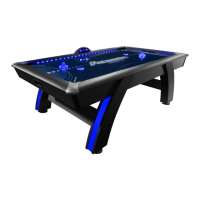
The Atomic 90" Indiglo Air Hockey Table is a recreational game table designed for playing air hockey. It features LED lighting in the legs and rail, an electronic scorer, and LED strikers and pucks for an enhanced playing experience. The table is intended for indoor use and requires at least two adults for assembly.

Important Technical Specifications:

  • Model Number: G04801W/F
  • Table Size: 90 inches
  • Power Source: 120V AC household outlet (via C2 A/C Adapter)
  • LED Puck Battery: CR2016 lithium 3V Battery (not rechargeable, lasts approximately 7 hours)
  • LED Striker Battery: Rechargeable (requires approximately 4 hours to fully charge, lasts approximately 7 hours)
  • Hardware:
    • H1: 8 pcs, 8mm x 35mm Allen Head Bolt
    • H2: 16 pcs, 8.5mm x 22mm Flat Washer
    • H3: 8 pcs, 8mm x 40mm Allen Head Bolt
    • H4: 2 pcs, 3.5mm x 18mm Phillips Round Head Screw
    • H5: 16 pcs, M8 Lock Washer
    • T1: 1 pc, Allen Wrench
  • Parts:
    • P1: 1 pc, Air Hockey Table Cabinet
    • P2: 2 pcs, Left Leg (with LED Light Feature)
    • P3: 2 pcs, Right Leg (with LED Light Feature)
    • P4: 2 pcs, End Leg Panel
    • P5: 4 pcs, Leg Leveler
    • P6: 1 pc, Electronic Scorer
    • A1: 2 pcs, Blue LED Striker
    • A2: 2 pcs, Blue LED Puck
    • A3: 2 pcs, Red Striker
    • A4: 2 pcs, Red Puck
    • A5: 1 pc, USB Cable (for charging A1 LED Strikers)
  • Electrical Components (Factory Installed):
    • C1: ON/OFF Switch
    • C2: A/C Adapter
    • C3: Junction Box
    • C4: Left LED Rail Light
    • C5: Left IR Sensor
    • C6: Right LED Rail Light
    • C7: Right IR Sensor
    • C8: Screw (not explicitly listed in parts list but mentioned in replacement section)
    • C9: Screw of Corner Cap
    • C10: Corner Cap
    • C11: Top Rail Knob Bolt
    • C12: Blue Light Cover Lens
    • C13: Air Blower
    • C14: LED Leg Light (not explicitly listed in parts list but mentioned in replacement section)

Usage Features:

  • Game Play: Designed for two players (one at each end) or four players (two at each end). Play begins by placing the puck on the playing surface. Players use strikers to hit the puck into the opponent's goal. One point is awarded per goal. The game is won by reaching a predetermined score or by scoring the most points within a set time.
  • Electronic Scorer (P6):
    • POWER ON/OFF: Press to start or turn off the scoring unit.
    • START/PAUSE: Press to start the game. During a game, press to pause or resume.
    • LIGHT ON/OFF: Press to turn on or off the Top Rail Light and Leg Light.
    • SELECT/RESET: Press to select time options (5, 10, 15 minutes, or No Time Limit). Long press to reset to the game option.
    • SOUND ON/OFF: Press to turn on or off the sound.
  • LED Strikers and Pucks: The table includes LED-illuminated strikers and pucks for enhanced visibility and aesthetic appeal during play.
  • Leg Levelers (P5): Allows for proper leveling of the table on uneven surfaces.
  • Safety: Emphasizes not returning defective products to the store, but contacting customer service. Also warns against sitting, climbing, or leaning on the table, dragging it, or placing drinks on it.

Maintenance Features:

  • Cleaning: Apply spray furniture polish to a clean cloth and wipe down the playfield with the air motor running for best play.
  • Dust Prevention: Cover the table with a pool table cover or sheet when not in use to keep the playfield clean and prevent dust buildup.
  • LED Puck Battery Change:
    1. Remove screws and back cap from the LED Puck using a small Phillips screwdriver.
    2. Remove the old CR2016 Lithium Battery 3V.
    3. Insert a new CR2016 Lithium Battery 3V with the positive "+" side on the bottom.
    4. Install the back cap and secure screws, ensuring the on/off switch aligns and fits into its slot.
    • Note: The LED puck battery is not rechargeable and lasts approximately 7 hours. Turn the switch to "OFF" when not in use to conserve battery life.
  • LED Striker Battery Charge:
    1. Connect the USB cable (A5) to the striker.
    2. The LED indicator will light up during charging and turn off when fully charged.
    • Note: LED strikers require about 4 hours to fully charge and last approximately 7 hours. Turn the switch to "OFF" when not in use.
  • Replacement of LED Rail Lights:
    1. Verify power connections (wall outlet, ON/OFF switch, A/C adapter, Junction Box connections).
    2. Disconnect A/C power.
    3. Unscrew Screw (C9) to remove Corner Caps (C10).
    4. Unscrew Knob Bolts (C11) and remove Side Top Rail.
    5. Carefully unplug the LED Rail Light.
    6. Unscrew Screws (C12) and separate LED Rail Lights.
    7. Align male and female connectors of the new LED Rail Lights and install them back into the Side Top Rail using Screws (C12).
    8. Connect the plug of LED Rail Light A (C4-A).
    9. Install the Side Top Rail with Knob Bolts (C11).
    10. Install Corner Caps (C10) with Screw (C9).
    11. Tighten, but do not strip out screws (C8) and (C9).
  • Replacement of LED Leg Lights:
    1. Verify power connections (wall outlet, ON/OFF switch, A/C adapter, Junction Box connections).
    2. Disconnect A/C power.
    3. Unplug Electronic Scorer (P6) wires from Junction Box (C3).
    4. Unscrew Screw (H4) and remove Electronic Scorer (P6).
    5. Turn the table over with six strong adults onto soft carpet.
    6. Disconnect the wire and remove the leg from the table cabinet using an M5 / 5mm Allen Wrench.
    7. Unscrew and remove Leg Leveler (P5).
    8. Unscrew the screw of the Blue Light Cover Lens (C12) and slide out the Lens (C12) from the Leg slot.
    9. Unscrew the screws of the LED Leg Light (C13) and gently pull apart the LED Leg Light from the connection plug.
    10. Install the replacement LED leg light and carefully reattach the Blue Light Cover Lens (C12).
    11. Reinstall the leg leveler (P5).
    12. Turn the table back over and reattach the electronic scorer.
  • Warranty: 90-day limited warranty covering defects in material and workmanship under normal use. Void if damaged by accident, unreasonable use, negligence, improper service, failure to follow instructions, or other causes not arising from defects. Escalade Sports will provide replacement components or a comparable product at its choosing. Contact customer service for warranty claims.

ESCALADE Atomic Specifications

General IconGeneral
BrandESCALADE
ModelAtomic
CategoryVideo Gaming Accessories
LanguageEnglish

Related product manuals