10
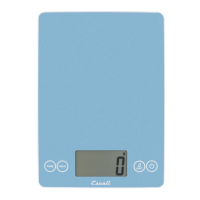
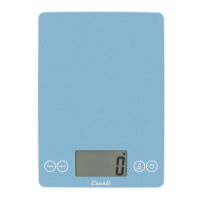
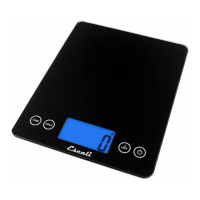
Merci d’avoir acheté la Balance Digitale Arti Escali!
Veuillez lire les informations sur le fonctionnement suivantes pour assurer
le bon fonctionnement de votre nouvelle balance.
COMMENT PESER
1. Appuyer sur la touche
⏻
. Tous les segments d’affichage apparaitront
pendant approximativement 2 secondes avant de se remettre à zéro.
2. Appuyer la touche
UNIT
pour sélectionner les unités (lb+oz, fl oz, g,
oz, or ml)
3. Placer lentement l’article sur la plateforme.
4. Appuyer sur la touche
⏻
pour éteindre la balance.
COMMENT UTILISER LA FONCTION «TARE»
Cette fonction vous permet d’obtenir le poids exact d’un article dans un
contenant en soustrayant le poids du contenant.
1. Placer lentement le contenant, sans l’article, sur la plateforme.
2. Appuyer sur la touche
TARE
key. Le poids du contenant sera retiré et
l’affichage se remettra à zéro.
3. Retirer lentement l’objet du contenant. L’écran affichera seulement le
poids de l’article.
4. Vous pouvez continuer à déterminer le poids de chaque article sup-
plémentaire en répétant les étapes 2 & 3.
COMMENT ANNULER LA FONCTION TARE
Retirer tous les articles de la plateforme et appuyer sur la touche
TARE
ou la touche Marche.
COMMENT UTILISER LA FONCTION HOLD
Cette fonction est utilisée pour peser des articles trop grands qui bloquent
l’écran.
1. Appuyer sur la touche
HOLD.
2. Placer un article sur la balance; on entend un bip quand le poids est
stable.
3. Retirer l’article et le poids s’affichera sur l’écran pendant 5 secondes.
3
Measuring What’s Next™
PROPER USE & CARE
Use and stow the scale at room temperature.
Use on a flat, level, and stable surface
.
The scale is an instrument of precision. Do not submit the scale to
shaking, excessive vibration, or other rough treatment.
The display may be affected by electromagnetic disturbances such
as radios, microwaves, or cell phones. If such disturbances occur,
remove the source of the disturbance, and restart the scale.
Disassembling or tampering with the scale voids the warranty.
Clean the scale with dish soap, and a damp cloth.
Do not submerge in liquid; the scale is not waterproof.
For best results, use lithium cell batteries.
Install only new batteries of the same type in your product.
Failure to insert batteries in the correct polarity, as indicated in the
battery compartment, may shorten the life of the batteries or cause
batteries to leak.
Do not mix old and new batteries.
Do not mix Alkaline, Standard (Carbon-Zinc) or Rechargeable
(Nickel Cadmium) or (Nickel Metal Hydride) batteries.
Do not dispose of batteries in fire.
Batteries should be recycled or disposed of as per state and local
guidelines.
WARNING MESSAGES
0-Ld
Overload warning
Low battery warning
PRODUCT SPECIFICATIONS
Model:
2210IB
Capacity:
22 lb / 10,000 g
Graduation:
1 g / 0.1 oz
Product Dimensions:
9” x 6.5” x .75”
Power Source:
2 - CR2032 lithium batteries (included)
Automatic shut-off:
5 minutes


 To Next Page