ESCAM IP Camera User Guide
website: www.escam.cn Email:support@escam.cn
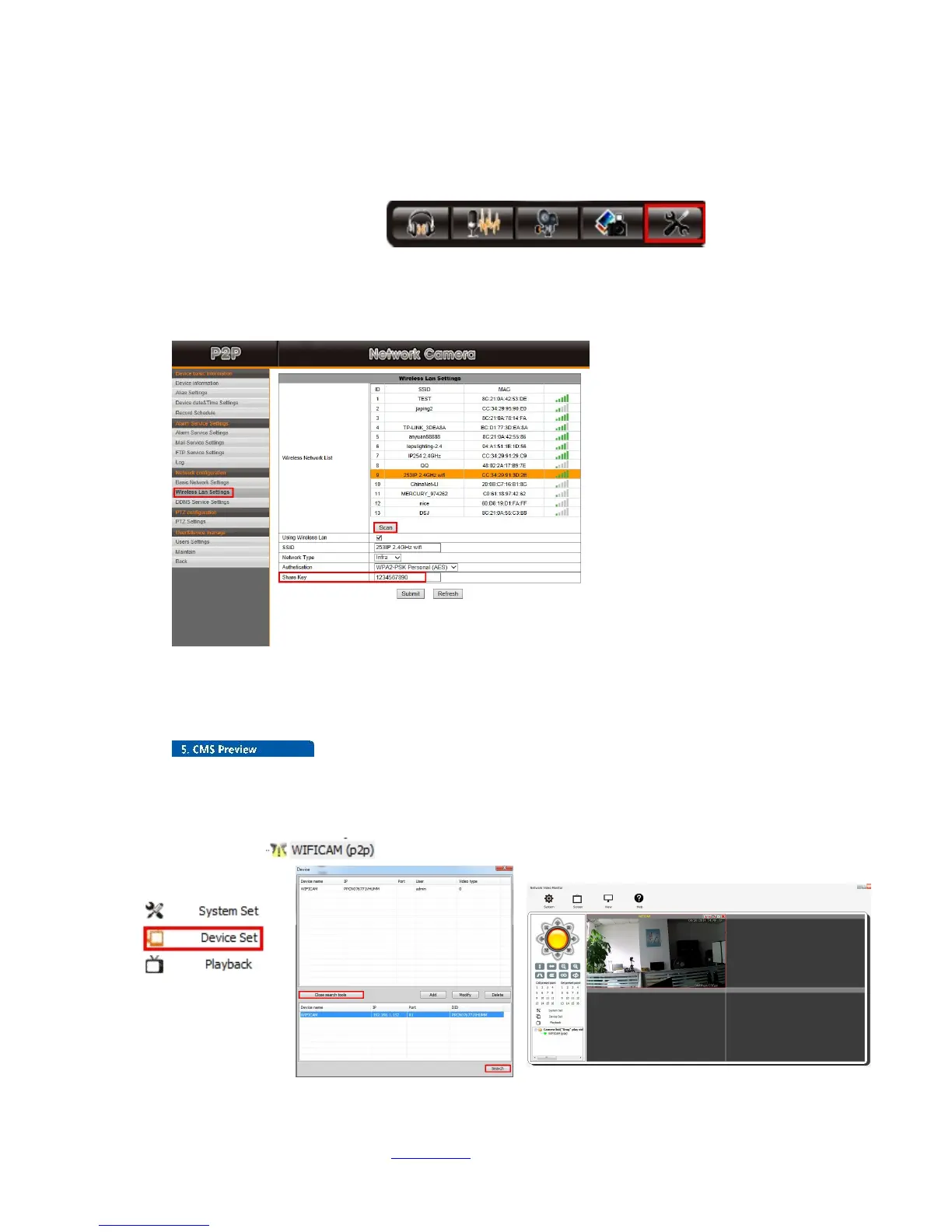
5.3 WiFi Setup in IE
5.3.1 Click “Settings”Button
5.3.2 Select“Wireless Lan Settings”and Scan
5.3.3 Scan WiFi network and select one
5.3.4 Input WiFi password and click “Submit”
5.3.5 Unplug the network cable, the IP camera will restart and connect WiFi automatically
5.4 CMS Preview
5.4.1 Click”Device Set”button, and click”Open search tools”
5.4.2 Click "Search" button to get the IP cameras list in network. Select one and double click it, click
“OK”
5.4.3 Select “ ”to view, then you will get the IP camera image as shown below:


 To Next Page