S
59
4. Tap “Search” and select the re you wish to pair to.
5. Enter the re’s PIN. Tap each digit then use the up and down arrows to change the digit.
6. Press “pair”. The re is now linked to the remote control.
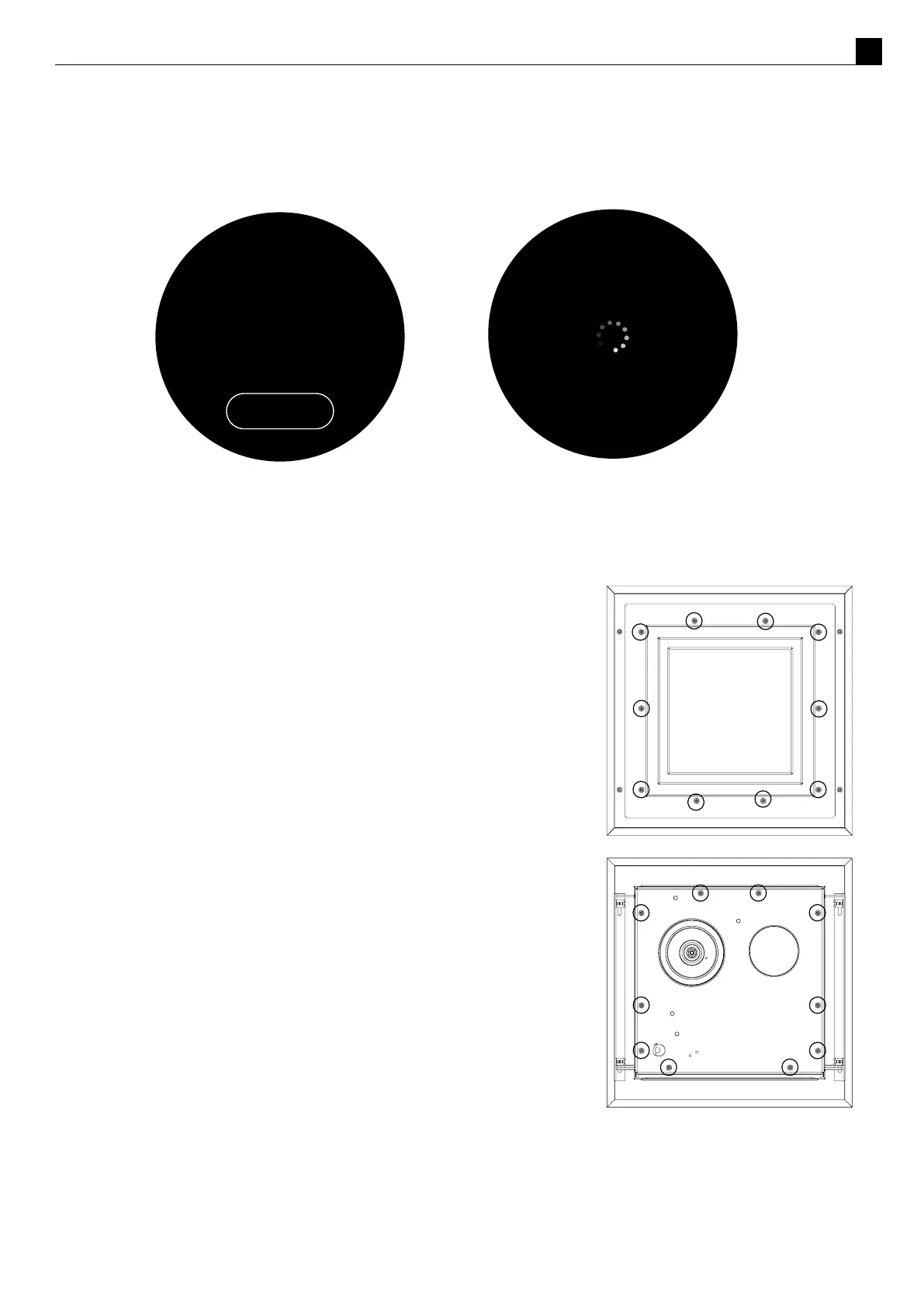
Ensure the power to the power ue is o by disconnecng the power to
the appliance inside. If the appliance has been running, allow the power
ue to cool before aempng to service it.
If the Power Flue needs servicing, the fan can be accessed from the
outside of the installaon (top drawing) or inside (boom drawing) for
horizontal terminaon and accessed from within the roof space for
vercal terminaon.
Servicing a Horizontal Power Flue:
Undo the screws on the outside of the Power Flue box and separate the
two parts, giving you access to the fan inside.
Removing this plate gives complete access to the fan for servicing or
replacement. Check that all the seals are sll intact. Check that the fan
electrical terminals, motor, and impeller are not corroded. Ensure there
are no signs of leakage in or around the terminal.
When reassembling the Power Flue, line up the round silicon grommets
with the outlet tube of the fan and push the cowl back into place.
Ensure all seals are sll in place and replace all of the screws to hold the
cowl in the correct posion.
PAIR REMOTE
SEARCH
SEARCHING



 To Next Page