S
58
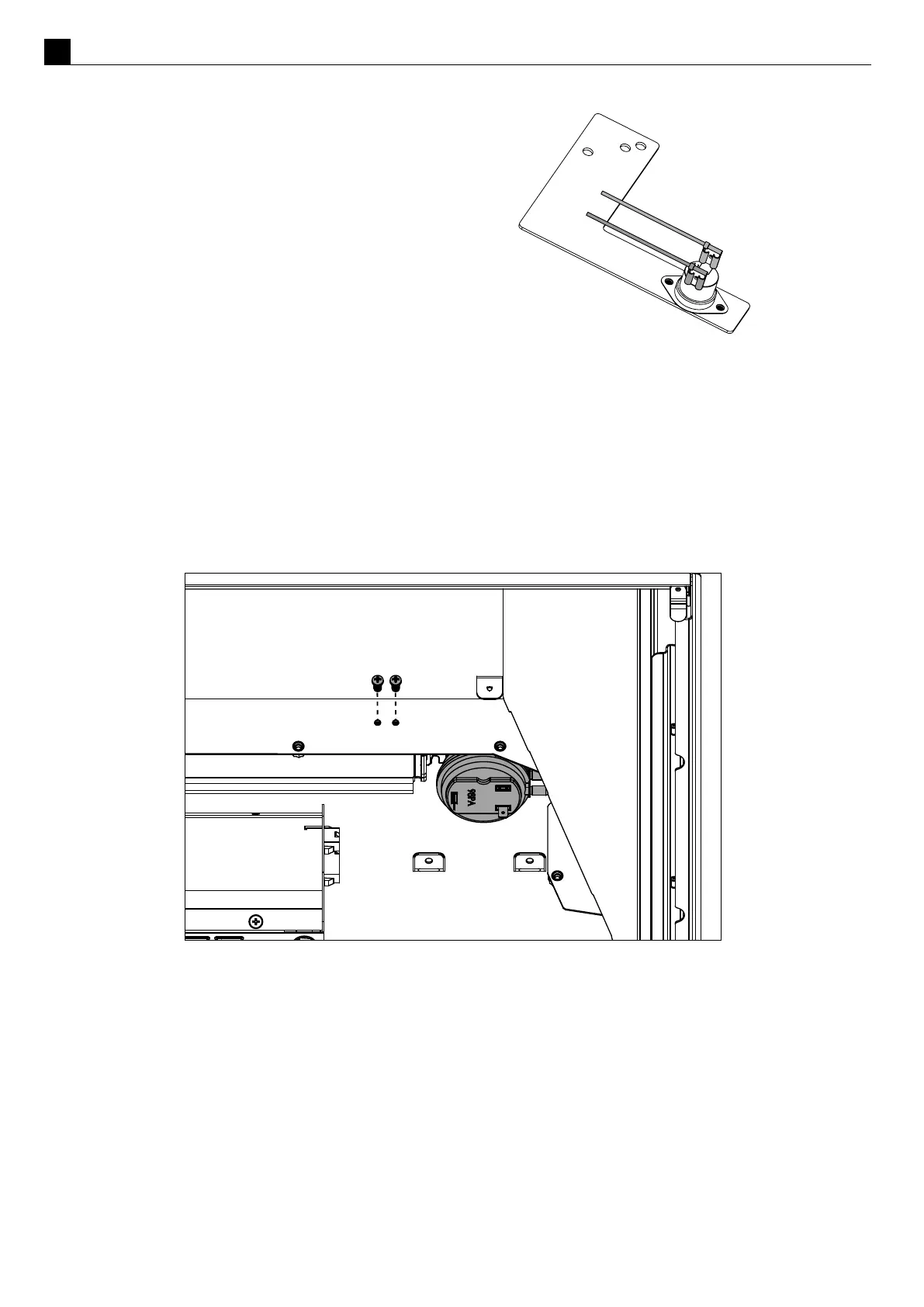
When reconnecng the wires to the TCO point
them in the direcon shown to the right.
Removing the Pressure Switch
Remove the two machine screws located in the rear RH side of the rebox to detach the pressure switch
bracket. Unplug the white and orange wires along with the two tubes to remove the bracket and pressure
switch from the appliance.
The bracket with the pressure switch may now be removed from the rebox.
Reinstalling the pressure switch, the black hose should be connected to the lighter pressure port and the
translucent to the darker pressure port.
Replacing/Pairing a Remote Control
If the wireless control becomes lost or damaged, a new one can be ordered from any Escea retail agent.
1. Charge the remote with a USB-C cable.
2. Ensure the re and remote are set to ‘O’ (only the me is displayed on the remote). Gently shake the remote
to wake it up if necessary.
3. Press the menu buon on the touchscreen, tap “Advanced”, then tap “Pair”.



 To Next Page