S
57
S9 Replacing the Thermal Cut Out
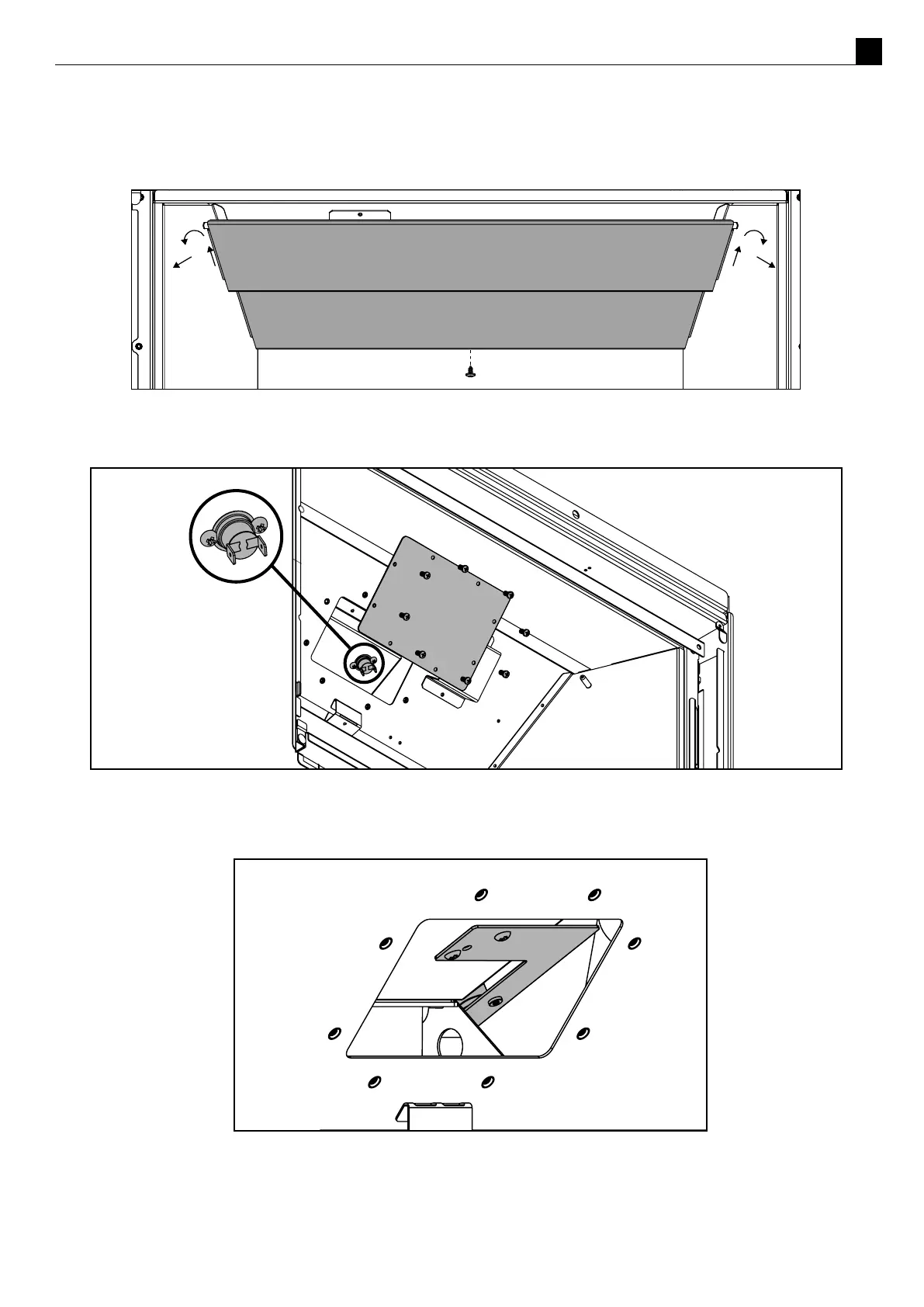
Undo the screw below the stepped bae halfway then gently li the bae up and bring towards you. Remove
the 8 machine screws in the access panel (as shown in the diagram below).
In the DF700 disconnect the TCO wires and then remove the 2 machine screws from the TCO (as shown in the
diagram below).
In the DF960 the TCO is a aached to a bracket which sits in the posion shown below.
Remove the two screws that hold in the bracket and manoeuvre the bracket out of the access hatch.
Disconnect the two wires from the TCO and then pull out the bracket and TCO assembly this may then be
removed from the re box for replacement.



 To Next Page