8
E OVER TEMP SHUTOFF OPERATION
By default, D-Series gas res keep running at their lowest seng even aer the room temperature matches the
desired "SET" temperature. Somemes, this low seng can make the room temperature go above what you
want.
Your Escea gas re has a feature where it switches o all burners if the room gets too warm, leaving only a small
ame burning (Pilot). All burners restart when the room cools down again. This feature is called "Overtemp Shut
O Mode."
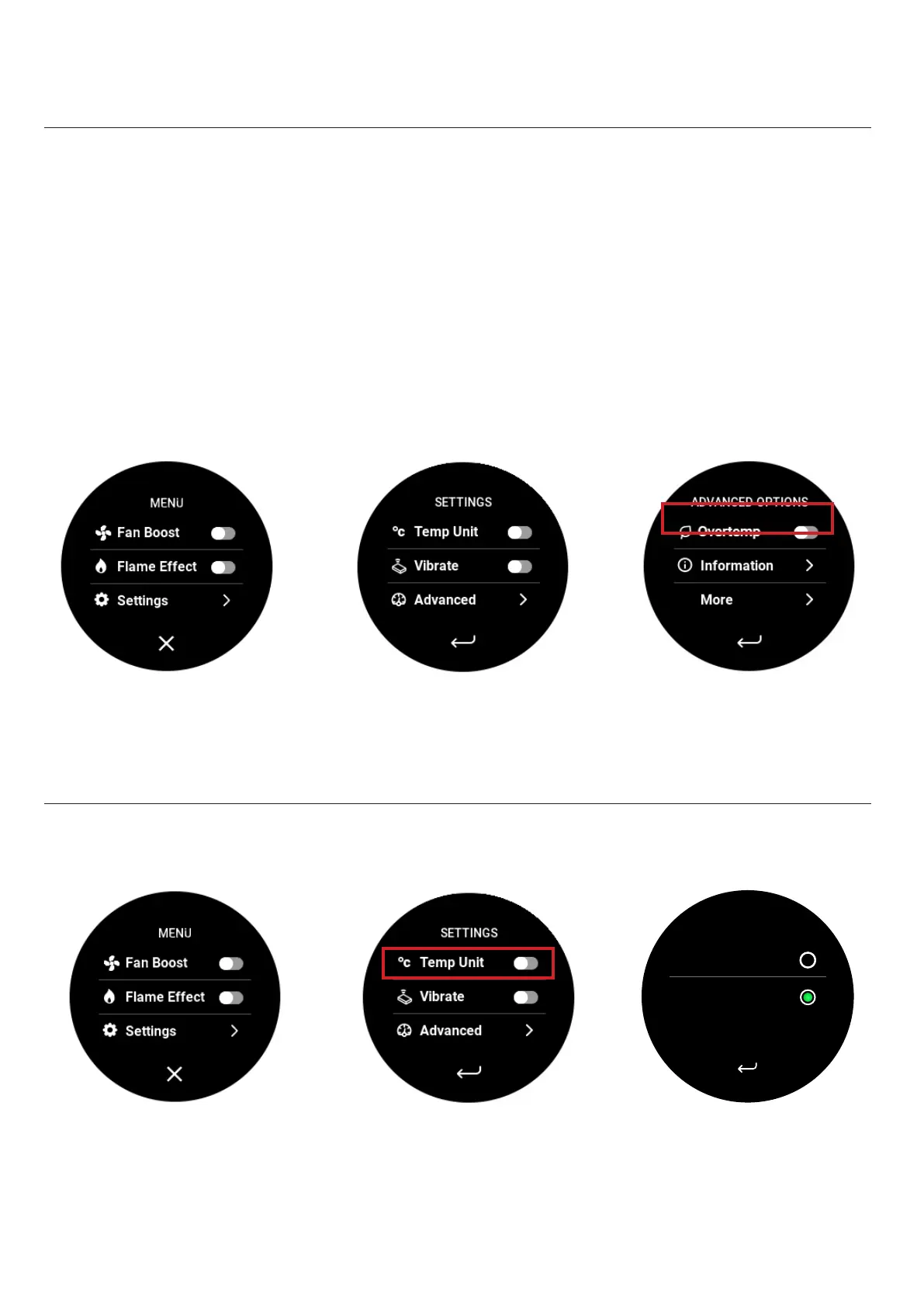
To acvate this mode:
Go to the advanced opons on your remote and toggle the "Overtemp" buon.
F
To adjust the temperature units, navigate to the sengs menu, select ‘Temp Unit”, then select Fahrenheit or
Celsius.
TEMP. UNITS
Fahrenheit °F
Celsius °C





 To Next Page