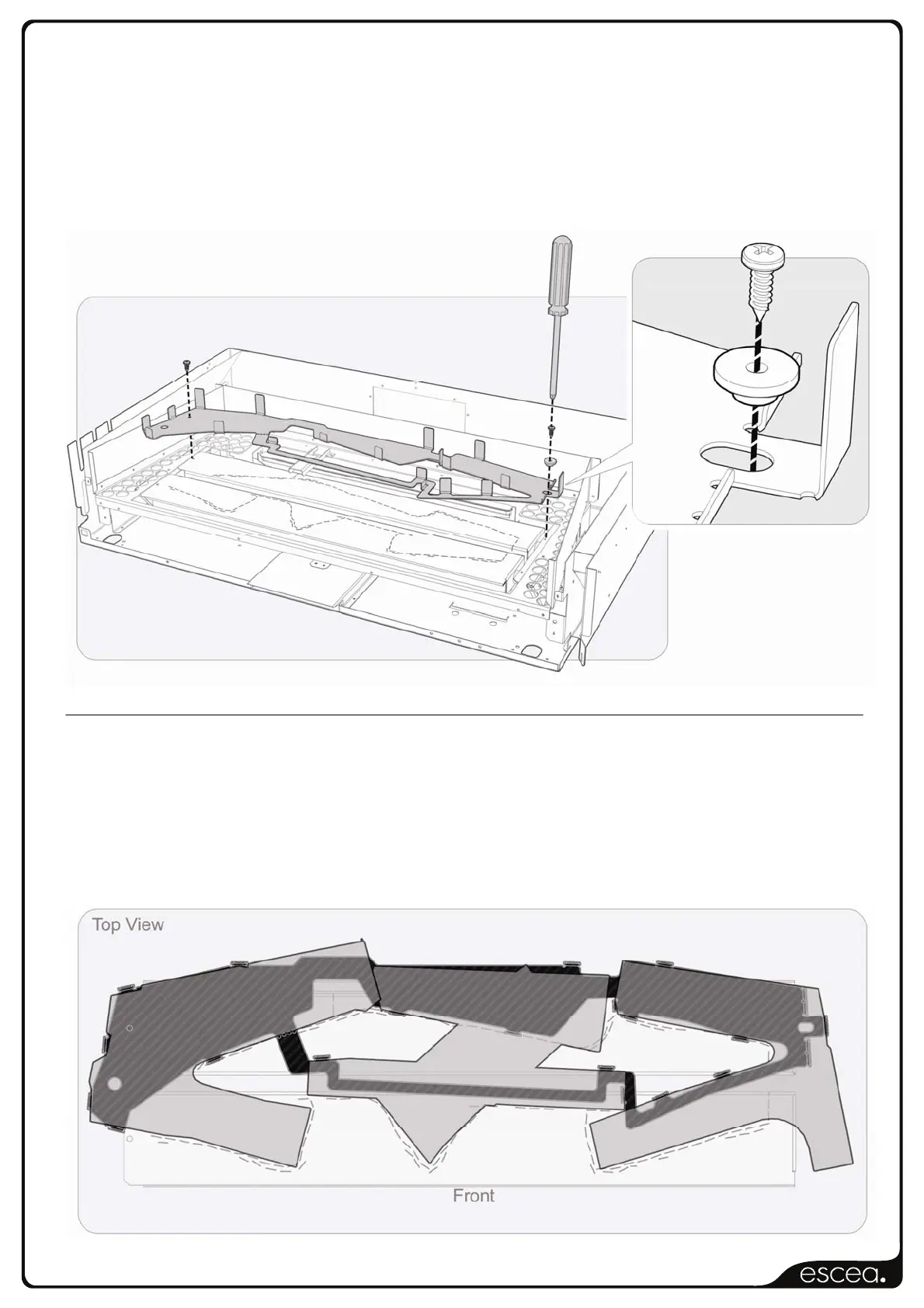
To attach the Log Template at the left hand side, use the existing screw which is holding the
middle burner in place. Remove this screw and re-attach with the log bracket in place.
To attach to the right hand side, use the supplied screw and brass washer as shown in the
diagrams below. In some cases it may be necessary to drill a 1/8” (3.3mm) hole in the lower
baffle.
Position the logs as shown below, ensuring that the logs do not block any of the holes on the
top of the burners. Blocked or covered holes on the burners may result in reduced flame
efficiency.
Note: The front right hand log will be raised slightly off the burners to improve airflow.



 To Previous Page