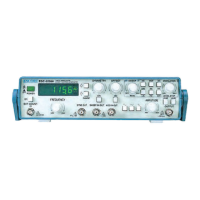
12
Reference Operation
This section describes several advanced functions. The variety of swept available from the function
generator make it especially useful for such applications as test servo-system or amplier response,
distortion and stability. It can use for FM generator, frequency multiplication, or as a variable, beat-
frequency oscillator. The synchronous and sweep outputs can be used as a source for TTL logic or to
synchronize as external device, such as an oscilloscope.
Main output
1. Connect the Main output connector to the input BNC
connector on an oscilloscope.
2. Switch off the external counter button.
3. Select the waveform by pushing function selector.
4. Push UP/DOWN to select a range of frequency output.
5. Turn the frequency knob to adjust the frequency output. The
output value will be indicated on the display
6. Turn the amplitude knob to adjust the output level. The
attenuator switch can be pushed to attenuate the output
level for –20 dB if necessary.
7. Push DC offset switch to the ON position, an additional DC
level will be used to shift output level. The knob of DC offset
is used to adjust DC level.
Symmetry
1. Follow the operation of Main output, but with the symmetry
button switched ON.
2. The frequency will be divided ten from the original frequency
output around.
3. Turn the knob of symmetry to adjust duty cycle from 10%
to 90 %.
4. Observe the results on the oscilloscope.
SYNC. OUTPUT
1. Connect the SYNC output connector to the input BNC
connector on an oscilloscope.
2. The level and symmetry will be a constant value, but the
frequency will follow the Main output. Please refer to main
output for frequency change.
3. The knobs for DC offset and amplitude do not affect the
output.
4. Observe the results on the oscilloscope
Internal Sweep/Sweep-OUT
1. Connect the Main output connector to the CH1 BNC
connector on the oscilloscope.
2. Connect the SWEEP in-out BNC to the CH2 BNC connector on
the oscilloscope.
3. Turn the frequency knob to set desired sweep start
frequency.
4. Push the sweep switch to the ON position.
5. Turn the LEVEL STOP knob to set stop frequency. Push
the STOP switch to the ON position to see the stop sweep
frequency on the display. Turn off the STOP switch once you
nished the setting.
6. The main output will sweep the desired range of frequencies
and the SWEEP in-out BNC is output a linear level.
7. Turn the sweep rate knob to set how often the frequency
sweep reiterates.
8. Observe the results on the oscilloscope.
Sweep-IN
1. Push the sweep switch to the OFF position.
2. Connect the Main output connector to the CH1 BNC
connector on the oscilloscope.
3. Connect the SWEEP in-out BNC to another function
generator.
4. Turn the frequency knob to set desired sweep start
frequency.
5. The main output will sweep the desired range of frequencies
according to the input level of SWEEP in-out BNC.
6. Observe the results on the oscilloscope.
AM Modulation
1. Connect the Main output connector to the CH1 BNC
connector on the oscilloscope.
2. Push the sweep switch to the OFF position.
3. Push the modulation switch to the ON position.
4. Push AM/FM switch to the ON position for AM modulation.
5. Push INT/EXT switch to the ON position for internal
modulation.
6. Turn the frequency knob to set desired carrier frequency.
7. Turn the modulation knob to set modulation amplitude.
8. Observe the results on the oscilloscope.
FM Modulation
1. Connect the Main output connector to the CH1 BNC
connector on the oscilloscope.
2. Push the sweep switch to the OFF position.
3. Push the modulation switch to the ON position.
4. Push AM/FM switch to the OFF position for FM modulation.
5. Push INT/EXT switch to the ON position for internal
modulation.
6. Turn the frequency knob to set desired carrier frequency.
7. Turn the modulation knob to set how many deviations for
frequency modulation.
8. Observe the results on the oscilloscope.


 To Next Page
 Loading...