iMiniPlus PDF Logger User Guide v2.0
- 25 -
12 Creating LCF file from LRF file
By its very nature (it was created in order to share information across all
operating systems and computers) the PDF “Portable Document Format” is
not secure. Logger data saved in 's proprietary LCF “Logger Compact Format”
is secure.
This is a new feature that enables you to create a *.LCF file from the .LRF file
that is generated by the logger, without the need to communicate with the
logger. In other words you can email LRF files and Console Pro will create an
LCF file from the LRF file. Then you will be able to add digital signatures to
the LCF file, view data, compare information with the received PDF file and
securely archive the data for auditing purposes.
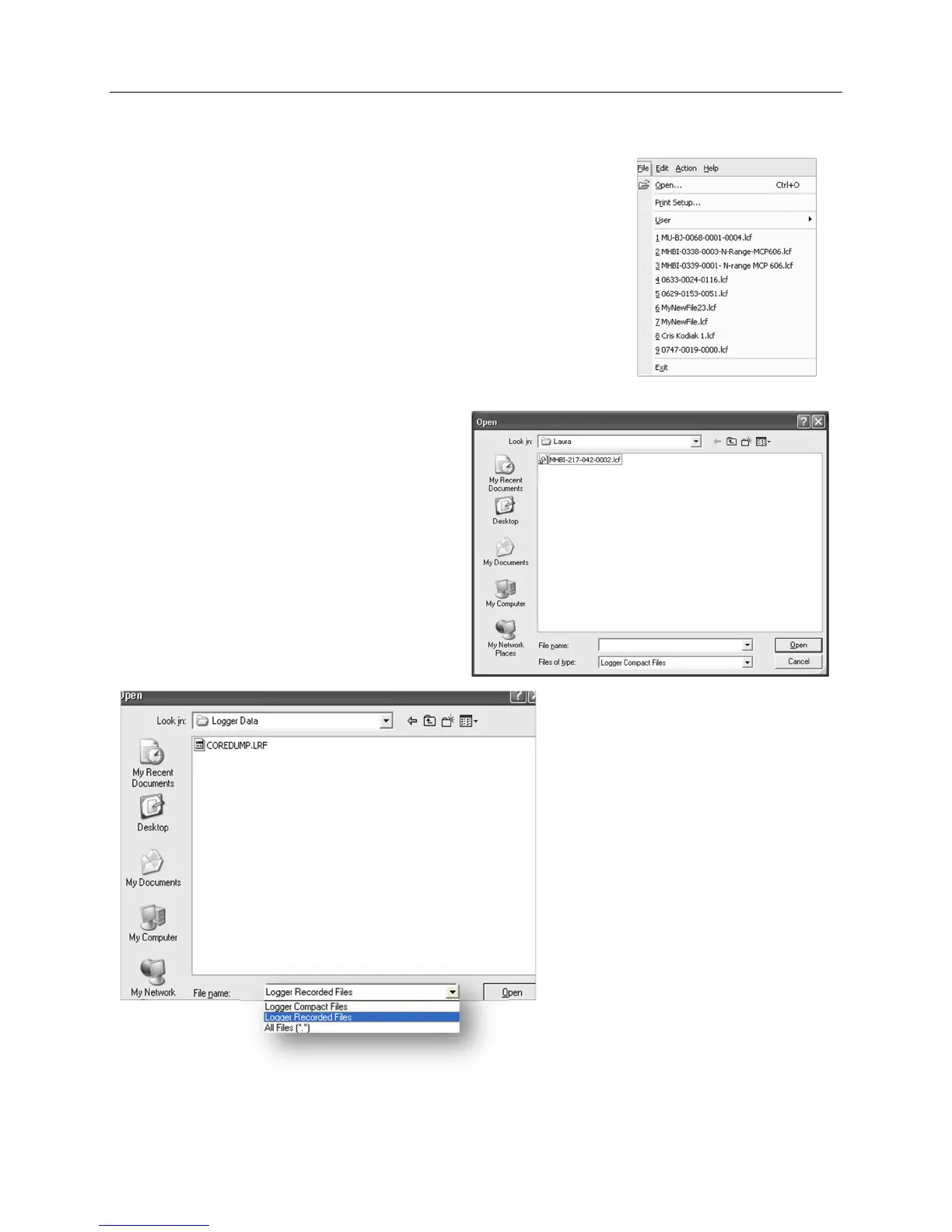
To open the LRF file you need to go to File-> Open menu item or use “Ctrl+O”
shortcut key.
The following window will be displayed:
Expand “Files of Type” drop down box and choose
“Logger Recorded Files” as shown below:
Navigate to the file you want to open and click on
“Open”
Console Pro should display List of readings as
shown below:



 To Next Page