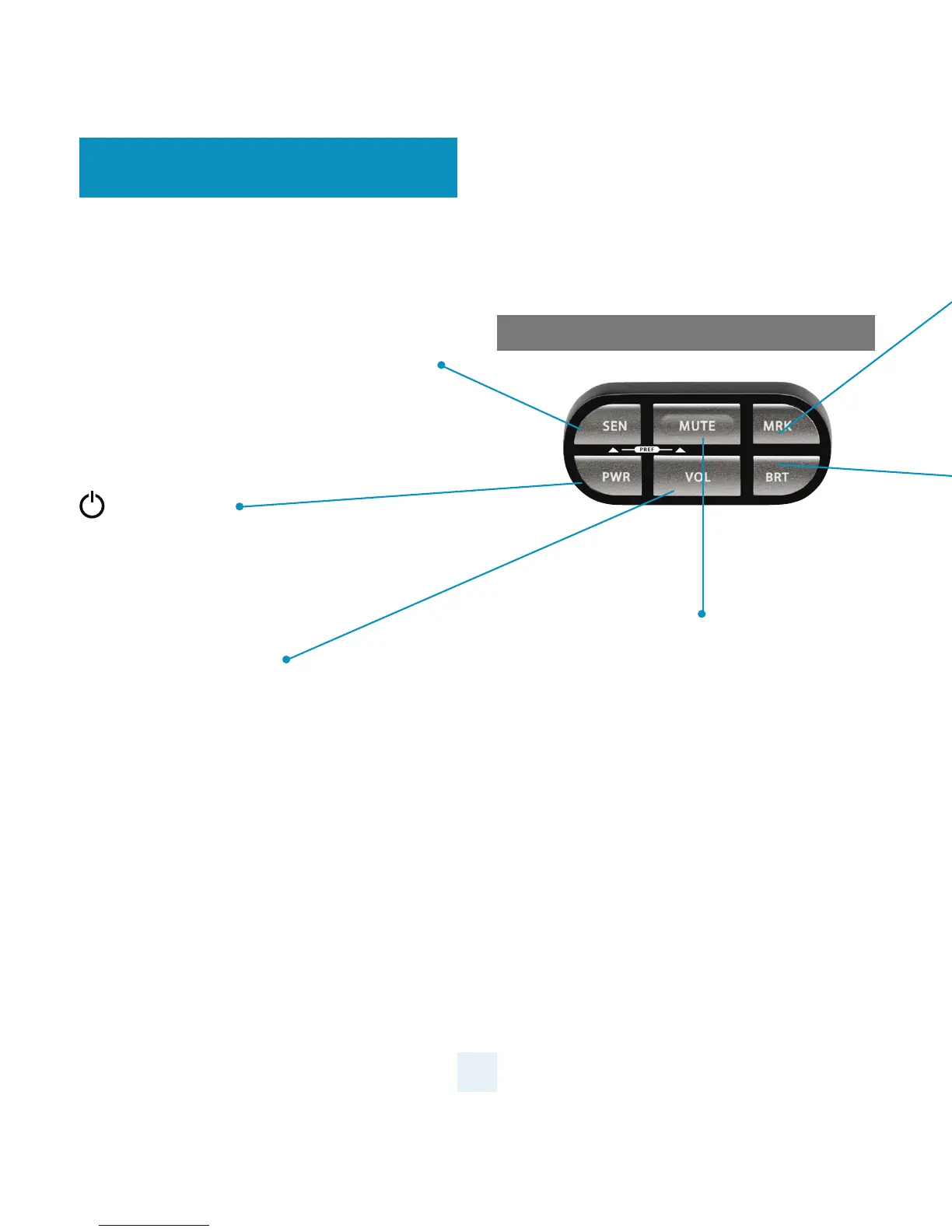
Sensitivity (SEN)
The SEN button selects the ESCORT MAX Ci 360’s
radar sensitivity. The choices are:
Highway – Full sensitivity
Auto – Reduces X and K band sensitivity based on
the speed of the vehicle
AutoNoX – Same as Auto but without X band
detection
AutoLoK – Same as Auto but with lowered K band
sensitivity at all times
Power (PWR)
Press and hold to manually turn ESCORT MAX Ci
360 on or o. If installed properly, the system will
turn on or o automatically with the vehicle’s
ignition.
Volume Button (VOL)
Press and hold the VOL button to adjust the alert
volume level. The audio will ramp up or down
accompanied by a bar-graph on the display. To
change the direction of the audio ramping simply
release the VOL button and quickly press and hold
it again.
NOTE: Your preferred audio level will be
stored in memory, even after the detector is
turned o.
4
Mute Button (Mute)
The Mute Button has several functions depending on
the scenario:
- Press to mute the audio for a specic alert.
- Press three times to lock out a false alert.
- Press twice while receiving a grey locked-out
alert to unlock it.
- Press twice while Laser Shifting to put the
sensors into receive-only mode for one minute.
Laser Shifting must rst be enabled, see Settings
& Preferences.
- When connected to ESCORT Live press and hold
mute button to manually report to other users a
veried X or K-band alert, or a police ocer
observing trac.
Control Module
Controls & Features


 To Next Page