12 13
the Next button and the technical settings menu will
be displayed. Release all buttons.
2. Press the Next
button until you get to the SWING
settings (5U1n9 is displayed at the bottom of the LCD
next to a flashing 0.5). Press +/– to choose between 0.5
to 2.0
3. Press the Next
button to enter the ADJ settings.
Press +/– to choose between -3 to 3 (this calibrates the
temperature).
3.3 Opentherm Parameter Settings
OpenTherm Settings:
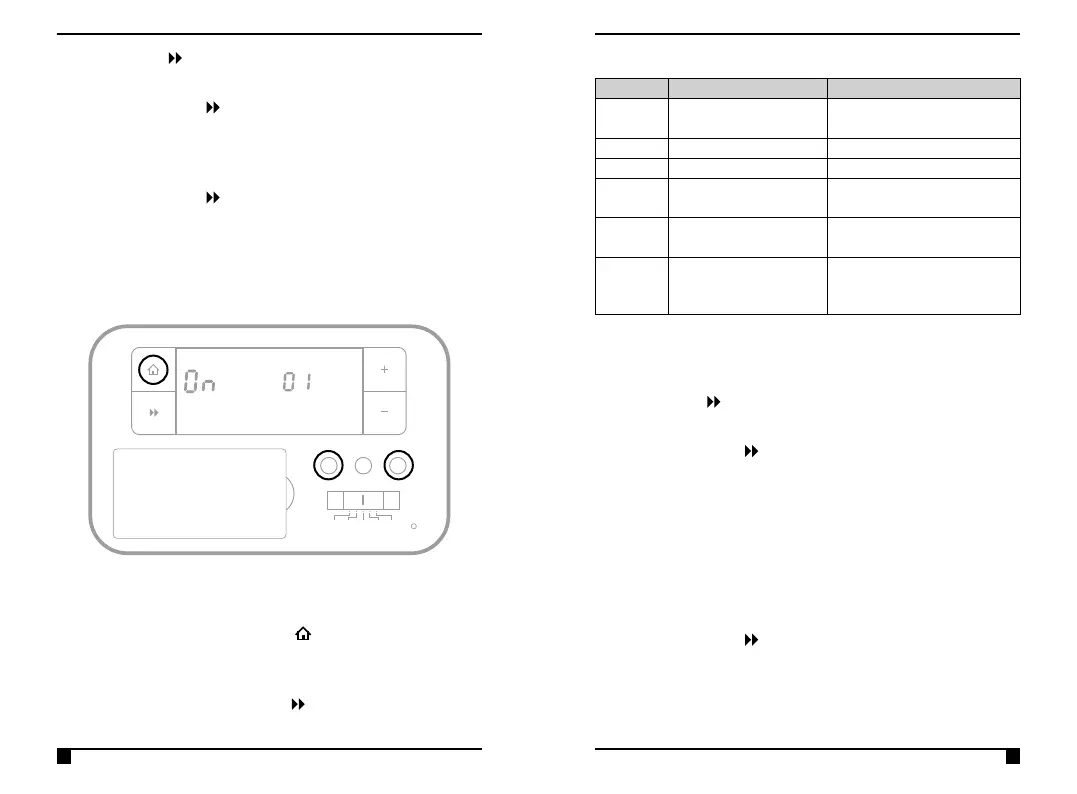
To Adjust the Opentherm Settings:
1. Move the slider to the OFF position
2. Press and hold A, H and the
Home button until
Parameter 01 on the right-hand side of the screen is
displayed.
3. Continue to press the Next
button to scroll through
the different menus below
Menu Parameter Settings
3.4 Setting the Landlord Service & Time Events
1. Switch the slider to OFF. Press and keep holding the A
and H buttons together (under the fascia), now press
the Next button and the technical settings menu will
be displayed. Release all buttons.
2. Press the Next
button until you get to CODE. A
numeric password will be required to enter this section.
The factory default password is 0000.
N.B. The screen will display Err if the incorrect password is
entered.
3. Press +/– to enter the first digit of the password. Press
the H button to move to the next digit. Repeat this until
all 4 digits have been entered.
4. Press the Next
button to enter the service interval
settings.
5. Use the +/– buttons to choose between:-
OFF: Turns the service interval off
TIME/DATE
PROG
OFF
MAN
AUTO
A C H
AM
PM
SET
AUTO DS OS SER OST TPI MAN
°C
AM
PM
SET
AUTO DS OS SER OST TPI MAN
°C
Parameter Feature Comment
01 Low Load control Use + or – to disable (OFF) /
enable (ON). default is ON.
02 Flow Water Temperature
03 Return Water Temperature
04 Domestic Hot Water
Temperature
05 DHW settings Use + or – to disable (OFF) /
enable (ON). default is OFF
06 Hot Water Set Point (60°c default setpoint) N.B. Hot
Water Set Point is only displayed
if DHW is enabled in 05 above



 To Next Page