Need help?
Do you have a question about the ESI ESRTP4 and is the answer not in the manual?
Explains what a programmable room thermostat is and its basic function for users.
Introduces the ESRTP4 model, its features, and programming capabilities.
Details the benefits and function of Chronoproportional Control (TPI) for energy saving.
Explains the Delayed Start feature and its impact on heating costs and comfort.
Describes the Optimum Start function for automatically adjusting heating start times.
Details the Optimum Stop feature for energy saving by switching off heating early.
Explains the Landlord Service safety feature related to boiler maintenance.
Outlines the default heating times and temperatures for easy setup.
Guides on how to select between 5/2, 7-day, or 24-hour operating modes.
Instructions on programming custom heating times and temperatures for different events.
Explains how to set a single constant temperature for the entire day.
Details how to set a constant manual temperature override indefinitely.
Guides on temporarily adjusting the set temperature, which reverts to programmed settings later.
Describes setting a reduced temperature for extended periods of absence.
Explains the Frost Protection mode to prevent freezing during cold periods.
Instructions for setting the current time and date on the thermostat.
Explains how to copy programmed settings to other days in 7-day mode.
Provides guidance on how to replace the thermostat's batteries.
Details how to reset the thermostat to its factory default settings.
The ESRTP4 is a programmable room thermostat designed for automatic time and temperature control of heating systems in domestic or light commercial premises. It combines the functions of a timer and a thermostat into a single unit, allowing users to set specific heating ON times and assign a desired comfort temperature to those times. Additionally, it offers the ability to set a "set back" temperature for heating OFF times, preventing the house temperature from dropping too low and potentially saving energy by reducing the effort needed to bring the temperature back up when heating resumes. This feature can be particularly beneficial for elderly individuals by ensuring the house doesn't get excessively cold. The unit is also capable of operating in an air conditioning/cooling mode.
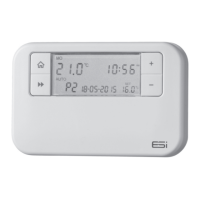
The ESRTP4 offers flexible programming options, including 7-day, 5/2-day, or 24-hour operation, with four or six time and temperature changes available each day. Different programs can be set for weekdays and weekends in the 5/2-day mode. Its large backlit LCD screen and easy-to-use function buttons aim to simplify programming and operation for all users.
A key feature of the ESRTP4 is its Chronoproportional Control (TPI) capability. Unlike simple ON/OFF thermostats, TPI control makes boilers operate more efficiently by firing them at regular intervals and adjusting the firing duration based on demand. This helps maintain set room temperatures more accurately and can lead to energy savings by reducing the boiler's "ON" time and matching its heat output to the heat loss. This advanced energy-saving feature is designed to reduce the net temperature of the return water to the boiler. TPI thermostats can be used with various heating systems, including underfloor, radiator, zoned, and electric heating, and are said to provide closer temperature control and potential reductions in fuel cost and carbon emissions. The thermostat offers the option of either standard setting or TPI.
The ESRTP4 also incorporates several special features designed to save energy, which are factory-set to OFF, allowing homeowners to choose which ones to activate. These features apply only to home heating, not to the hot water system.
One such feature is Delayed Start, which can reduce heating costs by up to 10%. This function intelligently delays the start-up of the heating system based on the current room temperature. If the room is already relatively warm, for instance, on milder days, the heating start can be delayed by up to 45 minutes. This reduces the daily heating duration without compromising comfort, leading to energy and cost savings. The Delayed Start feature is fully automated and requires no additional programming.
Another energy-saving feature is Optimum Start. Instead of setting an arbitrary time for the heating to come on, users program the time by which the home should reach the desired temperature. The thermostat then automatically adjusts the heating start time, delaying or advancing it as needed, based on the ambient temperature, to ensure the set temperature is achieved by the programmed time. This can save up to 10% of domestic energy costs, as it eliminates the need for homeowners to manually start heating hours before waking up to a cold house.
Optimum Stop is a complementary feature that saves energy by switching the boiler off slightly earlier than the programmed OFF time. If the house has already reached its target temperature, users should not notice any change in comfort, but this can contribute to lower energy bills.
For specific property management scenarios, the ESRTP4 includes an optional Landlord Service safety feature. This feature aims to protect tenants and landlords by ensuring compliance with Gas Safety Regulation 36. Thirty days before the boiler is due for service, the LCD will display "SER." If the annual maintenance is not performed within these 30 days, the heating system will operate for a pre-determined number of minutes per hour before turning off, thereby encouraging timely servicing.
Usage features of the ESRTP4 include:
Maintenance features primarily involve battery replacement and unit resetting:
The product is continuously developed to incorporate the latest energy-saving technology and simplicity. ESi Controls emphasizes that all products are tested in the UK to ensure quality and longevity. Users are encouraged to register their product online for an extended warranty.
 General
| Display | LCD |
|---|---|
| Power Supply | 230V AC |
| Voltage | 230 V AC |
| Battery | No |
| Protection Class | IP30 |
| Control Differential | 0.5 °C |
| Type | Room thermostat |
| Temperature Range | 5°C to 30°C |
| Frost Protection | Yes |
| Setpoint Range | 5°C to 30°C |
| Accuracy | ±0.5 °C |

 To Next Page