18
To operate the copy function
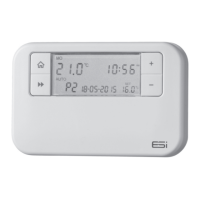
1. Switch the slider to PROG and press the Home
Button.
2. Press the C button to enter the COPY mode.
3. The A button chooses the day you want to copy from
and the +/- buttons choose the day you want to copy to.
4. Press the C button to confirm. The screen will show SEr
(to show the Copy function is set).
4.3 Battery Replacement
When the low battery symbol flashes in the LCD display, the
batteries need to be replaced as soon as possible. The battery
compartment is located on the front of the thermostat, under
the fascia cover. Remove the old batteries and insert new
ones. All settings including time are maintained.
N.B. If the display ever goes blank during normal operation,
the batteries need to be replaced with high quality
alkaline cells. The date, time and factory pre-set heating
times will be retained (assuming the back up battery has
not failed).
4.4 Resetting the Unit
To reset the programmer, hold reset for approx. 3 seconds.
The system and programme will restore to the factory default
settings. Hold the Next button and press the reset button
to restore to factory default settings.


 To Next Page