6.4.2 Menu Lock (LOCK)
If you have not set a password before, you will see NPASS in the display when you
enter this menu. Press the PRG key to set the desired password here. Then use the
DOWN and UP keys to select the menus you want to lock. Definitions of Menüler
5.4.1. It is the same as in the Menu Hiding section.
6.4.3 Set Password (PASS)
Use this menu item to set a password or to change the password you have
previously set. If no password was previously set; When you enter this menu, the
display will show NPASS. Press the PRG key to set the desired password here. If the
password has already been set; The display shows PASS? Will appear and you will be
asked to enter this password. After inputting the password, the display will show
NPASS. You can specify your new password here and confirm it with the PRG key.
6.4.4 Return to Factory Setting (FTRY)
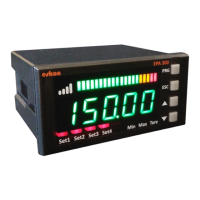
You can return your EPA300 to factory settings from the time box you desire. Press
the PRG key to return to the factory settings. Here you are going to face the PASS?
You need to enter 12345, which is the factory password, not the user password you
specified on the password screen.
6.4.5 Restart the Device (RESET)
In any case, press the PRG key to come back to this menu to restart your device. The
device will automatically power off and on and start working.
NOTE: The EPA 300 can be used with the instrument panel only, without the need
for relay outputs.


 To Next Page