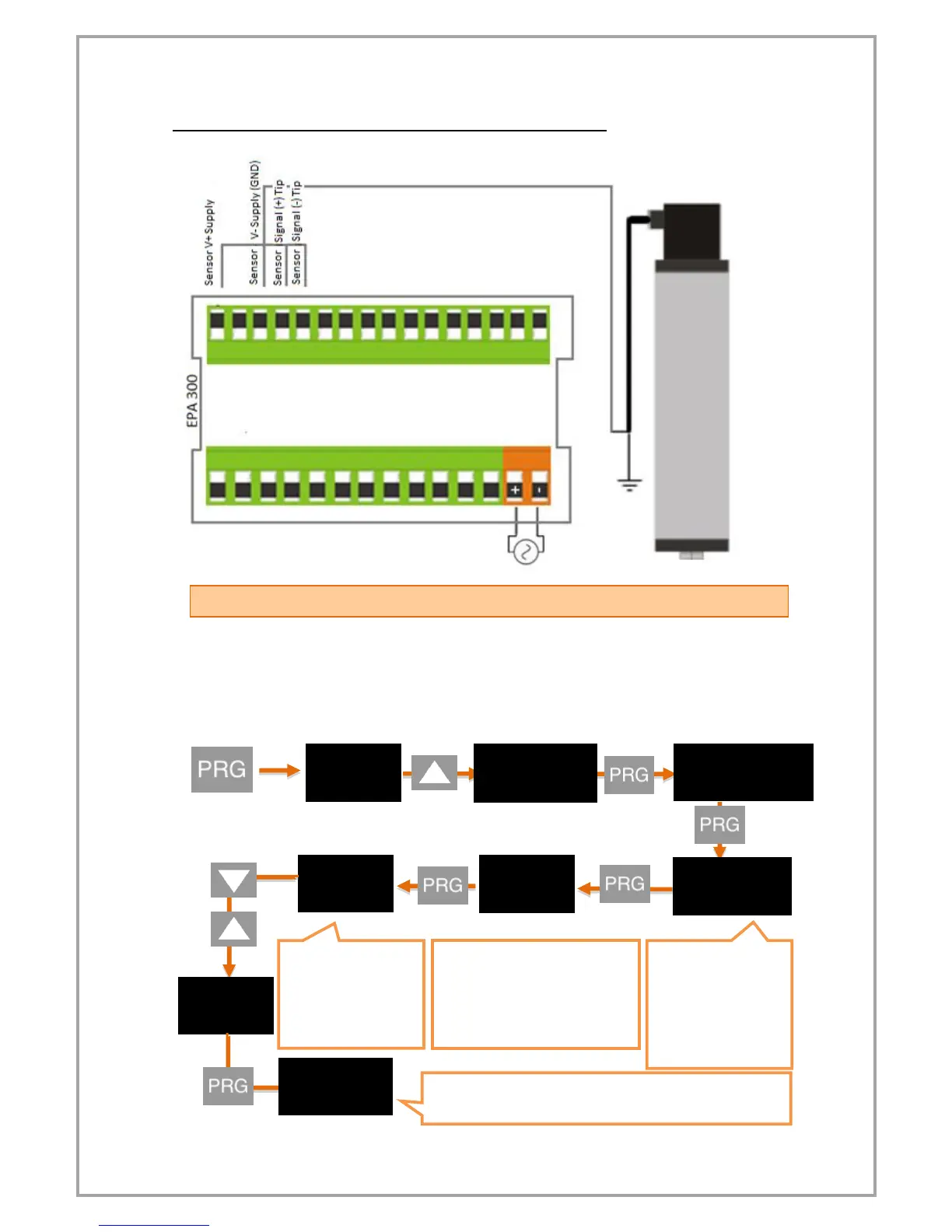
3.33 mV / V Ratiometric Sensor connections:
4.2 DEVICE CALIBRATION
Your device is calibrated automatically according to factory settings and operates in
the 0-100 value range. That is, the smallest reading on the sensor shows 0 on the
screen and 100 on the screen. You can change this scale from the calibration menu.
Use S-LO for the minimum value that will be shown on the screen, S-HI for the
maximum value.
Press and hold the UP and DOWN
keys to move to the next step. To
enter a negative (-) value, press
the DOWN key to come to one of
the non-digitized steps.


 To Next Page