
 Need help?
Do you have a question about the ESP HDview HDV16R and is the answer not in the manual?
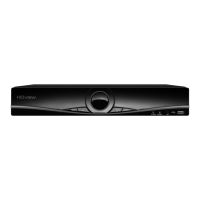
Identifies and explains the function of each button and port on the DVR's front panel.
Details all input/output connectors on the DVR's rear panel, including video, audio, and power.
Instructions for connecting HD and analogue cameras, covering channel pairing rules.
Steps for connecting the DVR to a monitor using HDMI or VGA outputs.
Safe methods for powering the DVR on and off, noting auto-resume functionality.
How to connect and utilize the mouse controller for DVR navigation and security.
Understanding the live display, status icons, and accessing the system's main menu.
Guidance on logging into the DVR system using default username and password.
Explanation of common settings accessible via the shortcut menu, like Record Mode and Playback.
Procedure for setting up continuous recording for all DVR channels manually.
Detailed configuration for recording mode, schedule, file length, pre-record, and redundancy.
Configuring the DVR to record automatically triggered by motion detection.
Setting up custom recording schedules based on day, time periods, and event triggers.
Instructions for searching, selecting, and playing back recorded video footage.
Using the digital zoom feature to magnify and inspect specific areas during playback.
Step-by-step guide for backing up recorded video data onto a USB storage device.
Configuring backup type, channel selection, and specific date/time ranges for data transfer.
Overview of the DVR's hierarchical menu system, detailing sub-menus and their purposes.
Connecting the DVR to a network via Ethernet or Wi-Fi for remote monitoring.
Methods for remote viewing: smartphone apps, desktop CMS, web browsers, and cloud.
Steps to resolve problems when the DVR fails to power on or boot up correctly.
Resolving display issues related to monitor cable connection and input selection.
Steps to fix issues where camera feeds are not appearing on the monitor.
Solutions for common video issues like mono pictures, color, and signal strength.
Troubleshooting steps for when recorded video files cannot be found or accessed.
Resolving problems where the DVR cannot detect or recognize the hard disk drive.
Tips for resolving choppy or unstable video playback, often related to frame rate.
Addressing issues related to unstable or intermittent DVR network connectivity.
Resolving problems with unclear or unstable video quality during remote viewing.
 General
| Video Input Channels | 16 |
|---|---|
| Storage Type | HDD |
| Network Interface | RJ45 |
| Compression | H.264 |
| Operating System | Embedded Linux |
| Video Input | BNC |
| Video Output | HDMI, VGA |
| Hard Drive Support | Up to 6TB |
| Power Supply | 12V DC |
| Audio Input | RCA |
| Audio Output | RCA |
| Remote Access | Yes |
| USB Interface | USB 2.0 |
| Recording Resolution | 1080p |

 To Next Page