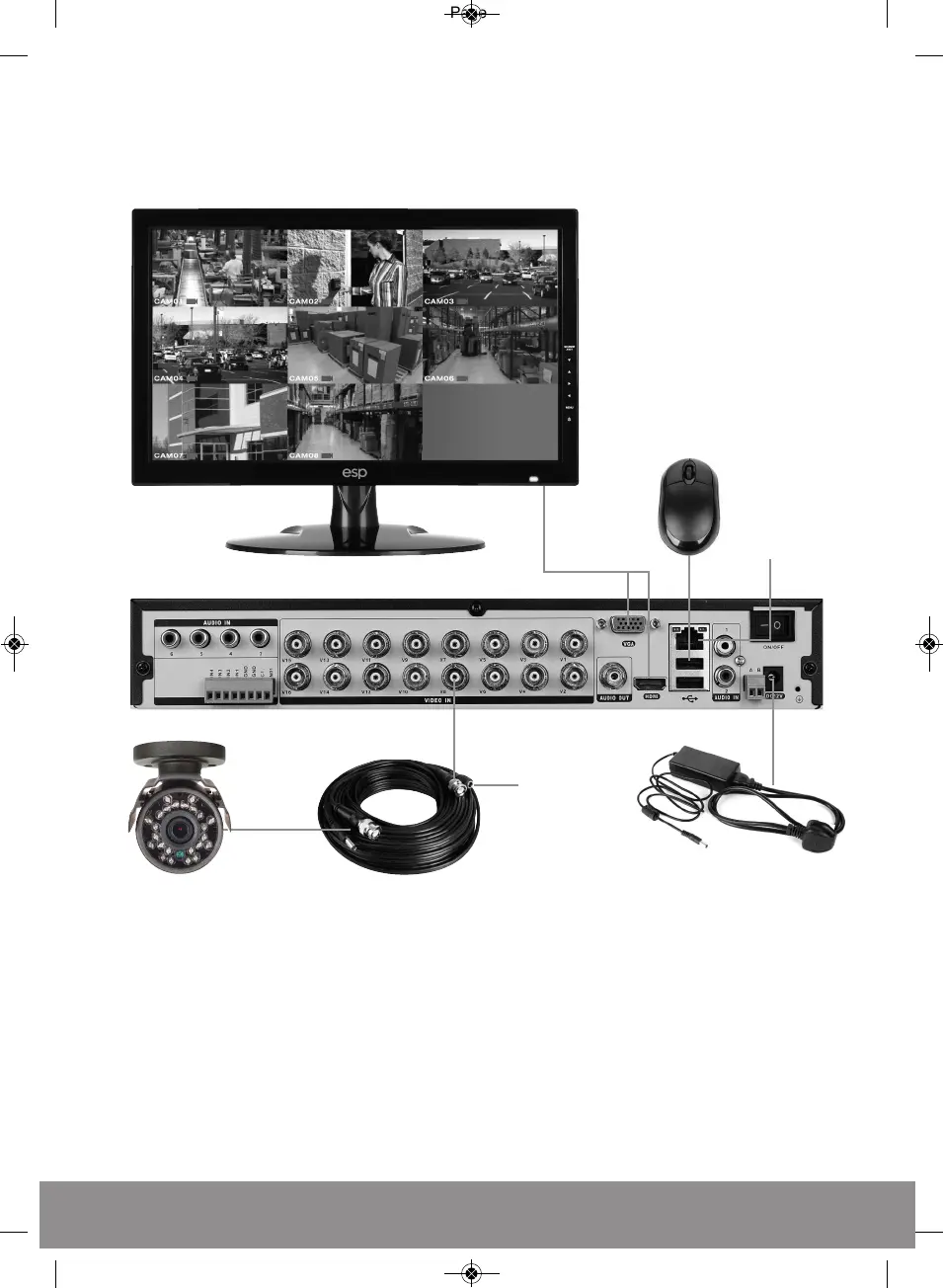
DVR Connection Diagram
Notes on Camera Connection:
The DVR is specifically designed for High Definition 720p cameras (using AHD technology).
The DVR can also support connection to lower resolution analogue cameras.
The camera input channels on the DVR are grouped into pairs for the connection of either HD
cameras or Analogue cameras. Channels 1 & 2 can have either 2 HD cameras or 2 Analogue
cameras connected but not 1 of each, the same applies to channel pairs 3 & 4, 5 & 6, 7 & 8,
and so on upto 15 & 16.
Monitor
DVR rear panel
VGA / HDMI
Connection
Mouse controller
Local area
network
Video / Power cable
Video Input
(BNC female)
BNC Video (female)
Power Jack (female)
Camera
Power supply
Camera PSU


 To Next Page