6
4 5
3
1 2
87
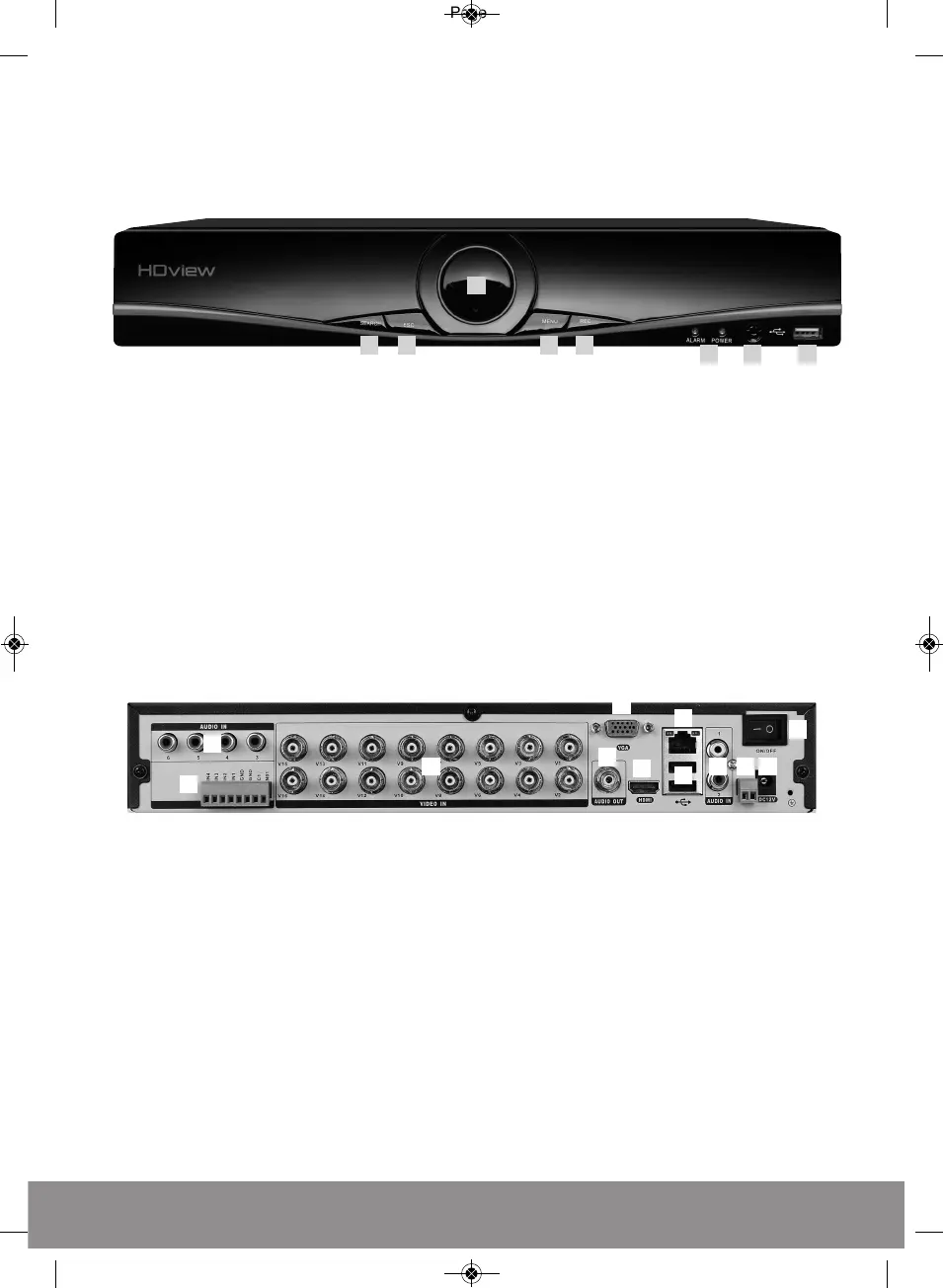
Front Panel
1. Search - Initiate play back
2. ESC - Exit menu
3. Navigation arrows
4. Menu - Access main menu
5. REC - Access shortcut record menu
6. System indicator lights
7. Remote control receiver
8. USB for mouse or USB stick
1. AUDIO IN Audio input
2. ALARM Alarm IN / OUT
3. VIDEO IN 1-8 for video input from camera
4. AUDIO OUT Audio output
5. VGA Output for monitor
6. HDMI Output for monitor
7. LAN Socket connection for ethernet cable
8. USB 1 + 2 For mouse control, USB backup and Wifi dongle
9. AUDIO IN Audio input
10. RS485 + - Signal Control
11. DC12V Power input
12. POWER ON/OFF Switch


 To Next Page