8
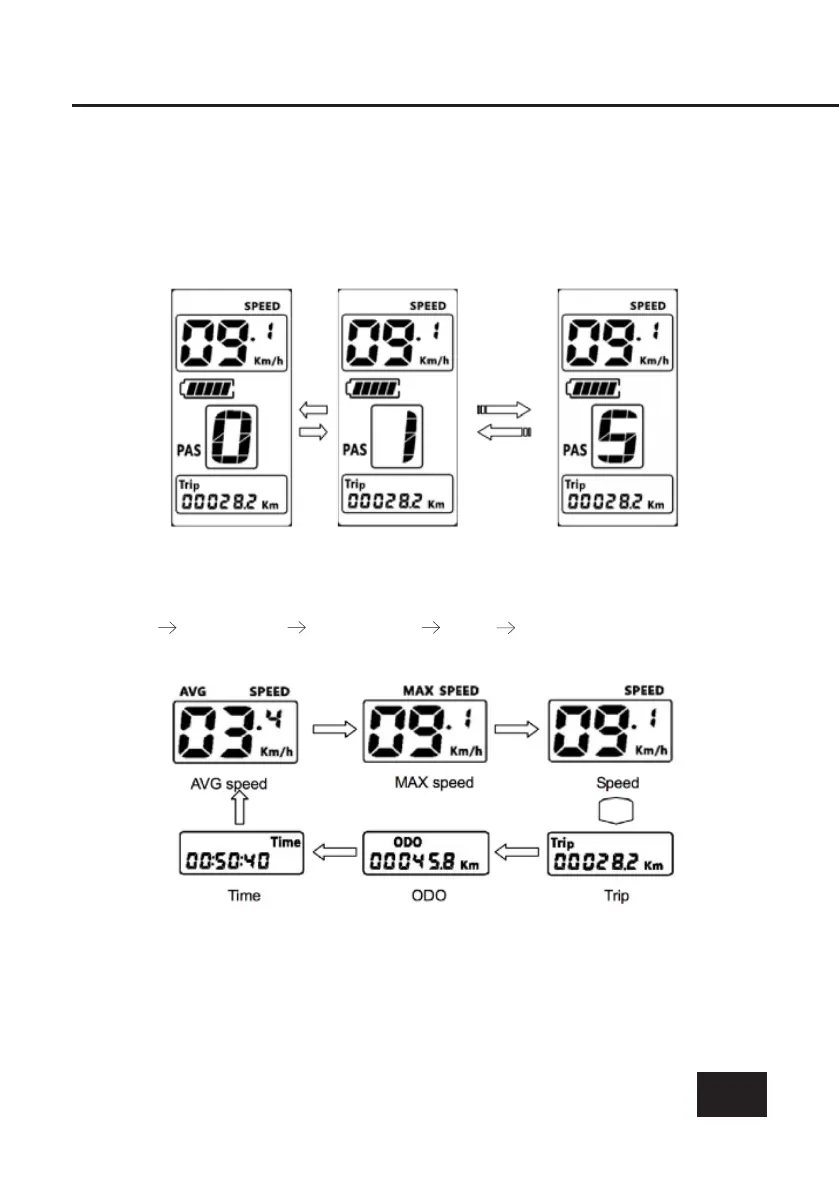
Changing Assist Levels
Short press [+/-] button to change the assist level. In the pre-set option,
level 0 is zero assist and level is 5 is maximum assist.
Speed/Mileage mode switch
Short press [POWER] button to change the speed/mileage mode.
Speed AVG speed MAX speed ODO Time
*If nothing is done in 5 seconds, display will return to default setting automatically.
Press and hold [+/-] buttons together for one
second
or longer to
reset
several
temporary data points including; AVG Speed/MAX speed/Trip mode/Time
mode.



 To Next Page