10
Data cleanup
Press and hold [+/-] buttons together for one second or longer to reset
several temporary data points including; AVG Speed/MAX speed/Trip
mode/Time mode.
parameter Setting
The parameter settings showcase the additional adjustments that can
be made to the display.
NOTE: The parameters are already set to our default settings. We do
not recommend adjusting the parameters for your Espin eBike.
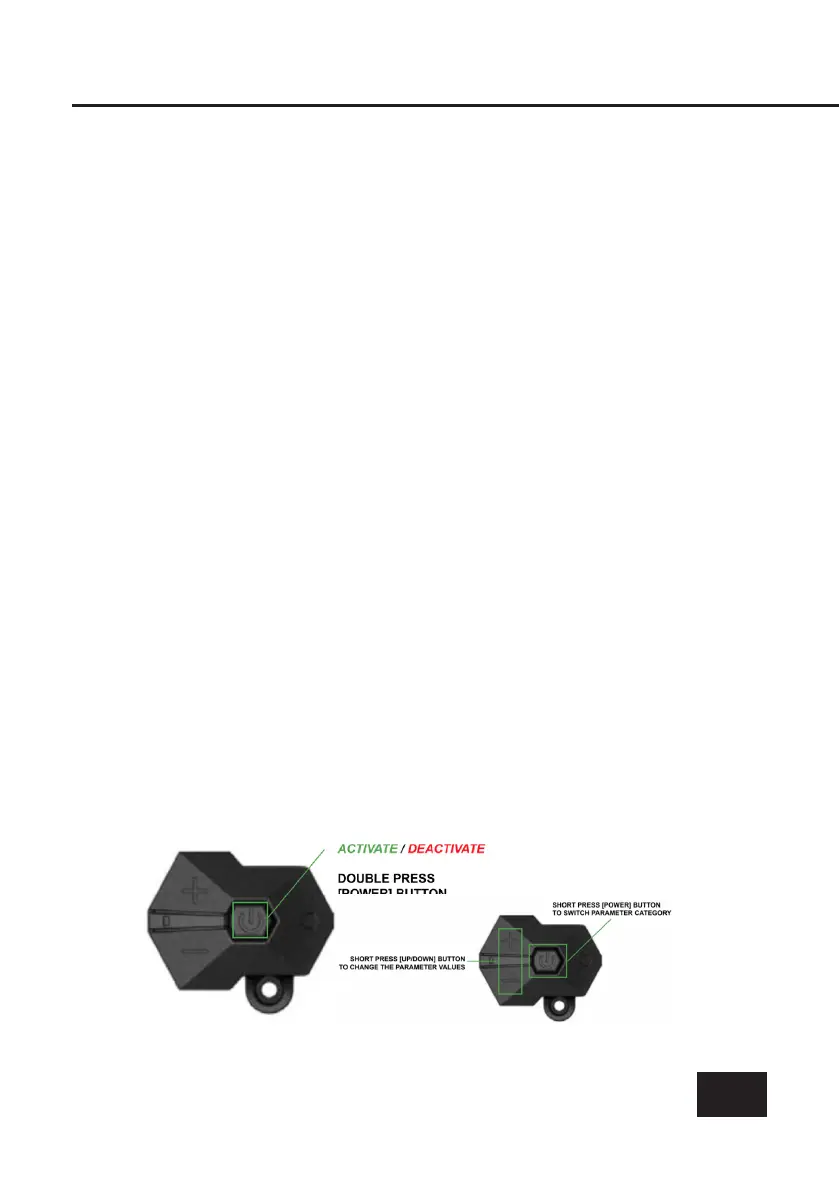
To activate parameter setting, double press the [POWER] button
(interval press less then 0.3 seconds), when in parameter mode the
display twinkles.
When inside the parameter settings, short press [UP/DOWN] buttons
to change the parameter value, and short press [POWER] button to
switch to the next paramete
To quit the parameter settings, double press [POWER] button (inter-
val press less ten 0.3 seconds).
If nothing is done in 10 seconds, the display will return to default view
automatically.



 To Next Page