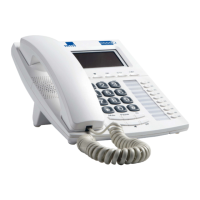
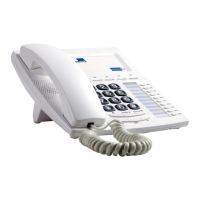
68 DESCRIPTION
Connect the handset and the base unit with the cord.
PROGRAMS OPERATION
Be sure that the phone is in standby mode.
Press “ SET/STORE” to access the programming mode;
Press “UP” or “DOWN” to scroll through the seven programming modes
(from 1 to 7):
1 Date and time “date”
2 Local area code “code”
3 Flash time “flash”
4 IP mode “ip”
5 Brightness “lcd”
6 Ring “no_r”
7 Ring tone “r_tone”;
Press “ SET/STORE” to set the selected programming mode.
The display shows the current setting and the modifiable parameter
starts flashing. Use “UP” or “DOWN” to scroll through the different
options or enter a value with the numerical buttons (enter a value for
each flashing digit). To set more than one parameter, press
“SET/STORE” to save the current parameter. The next parameter starts
flashing;
Press “DELETE” to exit the programming mode.
Note: When the setting is completed, the next parameter appears on
the display. The programming mode is exited if no key is
pressed within 10 seconds.
Set time
Be sure that the phone is in standby mode.
Press “ SET/STORE” key, “ set 1 DATE ” glints.
Press “SET/STORE” again to confirm. “20??” is displayed.


 To Next Page