
 Need help?
Do you have a question about the eSSL C3-400 and is the answer not in the manual?
Details TCP/IP communication for data exchange and remote management with the system.
Details RS485 communication for data exchange and remote management with the system.
The eSSL C3-400 is a comprehensive access control system designed for secure and efficient management of entry points. This user manual provides detailed instructions for its installation, connection, and operation, ensuring reliable performance and ease of use. The system is built with a focus on security and durability, incorporating features that protect against common operational hazards and facilitate long-term maintenance.
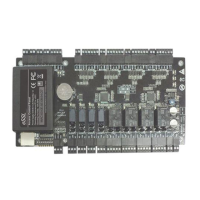
The C3-400 serves as a central control panel for managing access to secured areas. It integrates with various peripheral devices such as card readers, door buttons, and locks to create a robust security infrastructure. The core function of the system is to process access requests, verify credentials, and control door locks accordingly. It supports both normally open (NO) and normally closed (NC) lock types, offering flexibility in deployment based on specific security requirements. The system also includes auxiliary inputs and outputs, allowing for integration with alarms, doorbells, infrared body detectors, and other security sensors, enhancing its versatility as a comprehensive security solution.
Communication with the system is facilitated through multiple protocols, including TCP/IP and RS485, enabling remote management and data exchange with background PC software. This allows administrators to configure settings, monitor events, and manage user access from a central location. The system also features an SD card interface for backup of access control logs, ensuring data integrity and availability even in the event of a system failure.
The C3-400 is designed for straightforward operation and configuration. Its LED indicators provide clear visual feedback on the system's status, including power, communication activity (TCP/IP and RS485), auxiliary output usage, lock status, and card punch events. This allows users to quickly assess the system's operational health.
The system supports both "dry mode" and "wet mode" for lock connections, offering adaptability to different power supply configurations for locks. In "wet mode," the control panel can supply power to the locks directly, simplifying wiring in certain setups. The inclusion of a charging circuit board and backup battery ensures continuous operation during power outages, maintaining security without interruption.
For communication, the C3-400 can be integrated into a network of multiple control panels via RS485 bus cascade connection or through TCP/IP for larger, more distributed systems. The RS485 address setting is managed via DIP switches, providing a clear and physical method for configuring device addresses within a network. This allows for easy expansion and management of multiple access points.
The system's auxiliary inputs can be connected to various sensors, such as infrared human body induction sensors, wireless exit buttons, and window sensors, enabling a wide range of automated responses and security triggers. Similarly, auxiliary outputs can control devices like alarms and doorbells, providing immediate alerts or convenience features.
Maintenance of the C3-400 is designed to be user-friendly and to ensure the longevity of the device. The manual emphasizes several critical cautions, such as avoiding energizing the system during installation and grounding all peripheral devices, to prevent damage and ensure safety. These guidelines are crucial for proper setup and ongoing reliability.
The system includes a factory default setting restoration feature, accessible via a DIP switch. This allows administrators to reset the control panel to its original settings, which can be useful for troubleshooting or reconfiguring the system. All information in the control panel's RAM is cleared during this process, providing a clean slate for new configurations.
For RS485 communication, the system allows for terminal resistance setting via a DIP switch, which is important for maintaining signal integrity over longer bus lengths. The recommendation to use shielded twisted-pair wires (RVSP) for RS485 communication highlights the importance of minimizing interference, contributing to stable and reliable data transmission.
The manual also provides specific recommendations for wiring, including the types of cables to use for different connections (e.g., 6-conductor wire for Wiegand readers, 4-conductor for lock power), which helps ensure optimal performance and reduces the likelihood of wiring-related issues. The instruction to parallel an FR107 diode when connecting electrical locks is a critical maintenance detail, preventing self-inductance EMF from affecting the system and protecting its components.
Furthermore, the system's design with heat dissipation holes suggests consideration for thermal management, which is vital for the long-term stability and performance of electronic components. The emphasis on installing the appliance according to national electrical codes and by qualified personnel underscores the importance of professional installation for safety and proper functioning.
 General
| Transaction Capacity | 100, 000 |
|---|---|
| Power Supply | 12V DC |
| Operating Temperature | 0°C to 45°C |
| Operating Humidity | 20% to 80% |
| Supported Cards | EM, Mifare |
| Communication | TCP/IP, RS485 |
| Wiegand Signal | Input & Output |
| Auxiliary Input | 2 |
| Event Log Capacity | 100000 |
| Display | TFT LCD |

 To Next Page