Operation12
The threads you use for fixing the ES590 are already available within the device
and can easily be made accessible by removing the feet.
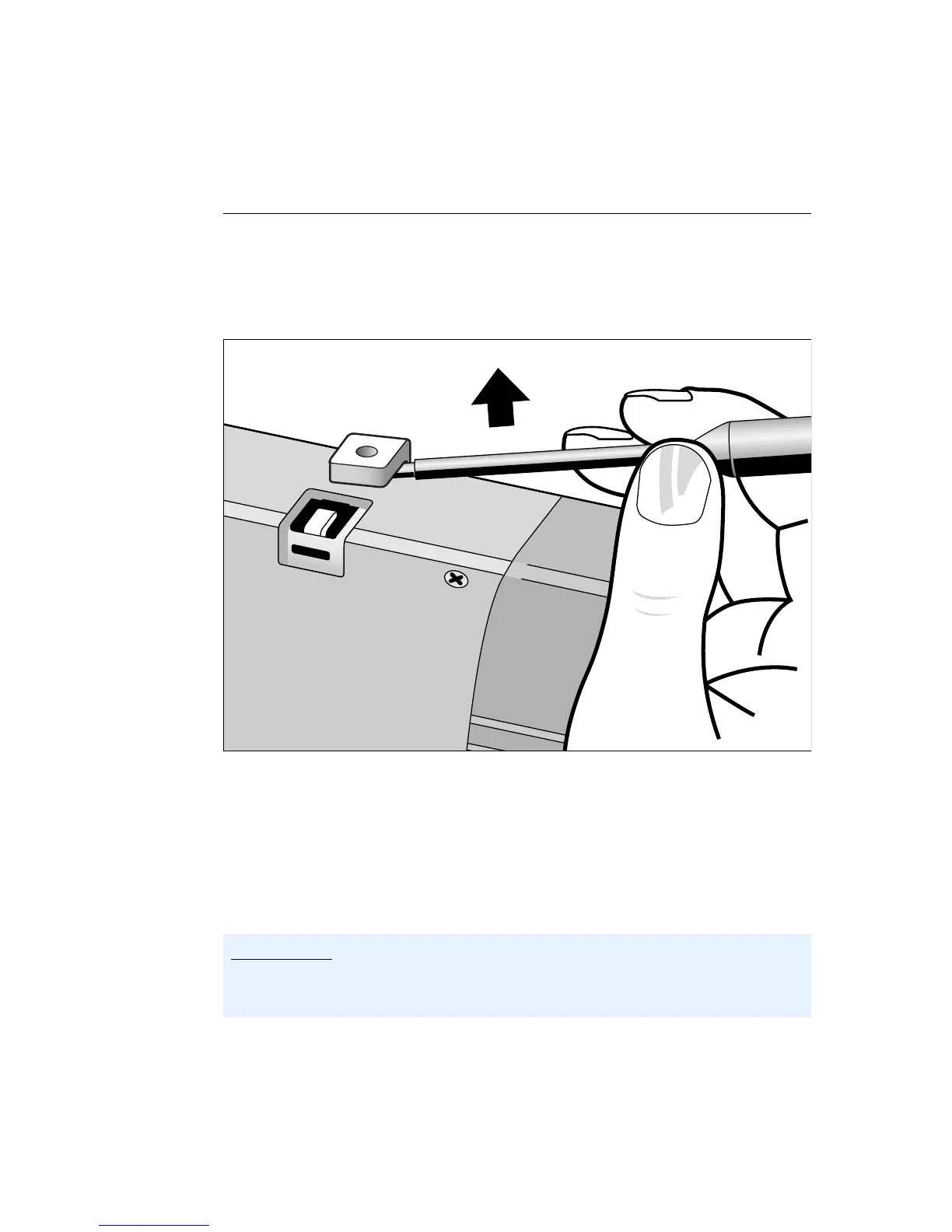
To fix the ES590 housing:
• Remove the plastic feet from the top and bottom
of the device. To do this, first of all lift the foot
from either the top or the bottom of the device
and then carefully remove it from the housing.
You will then see a thread where the plastic foot
was. The threads for positioning the device are
on both the top and bottom of the housing.
• You can now screw the device to your rack. Use
M3 screws for this purpose as their threads only
protrude by a max. 3 mm into the housing of the
ES590.
note
Please make sure that the screws used do not protrude into the ES590 housing
more than 3 mm. Otherwise they could damage the electronics inside the device.


 To Next Page