ETC Service Note
Congo™ Power Supply Cable Upgrade Kit
Congo™ Power Supply Upgrade Kit Service Note Page 2 of 6 Electronic Theatre Controls, Inc.
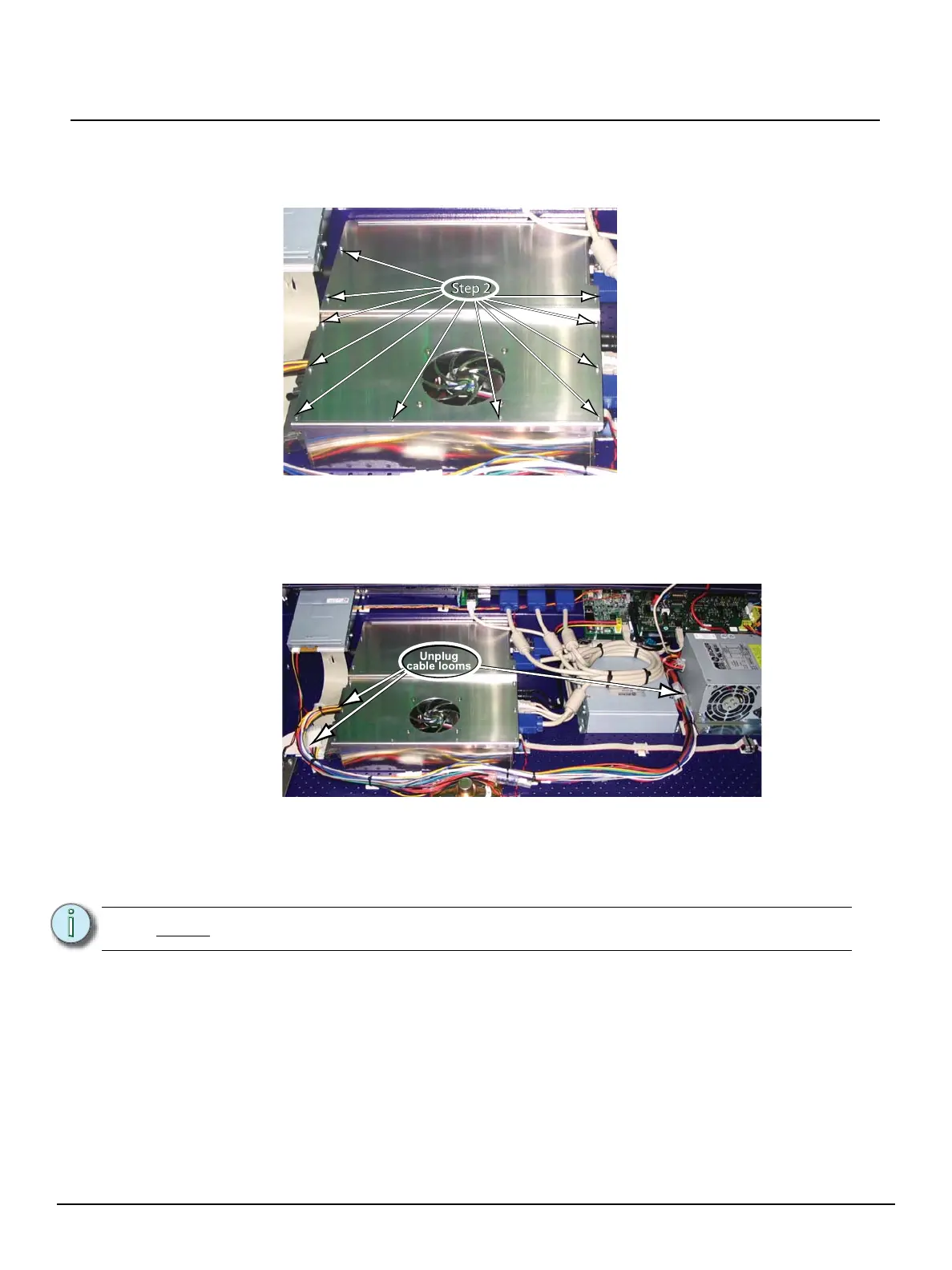
Step 2: Open the EMC cage lid (open only the lid, do not remove the EMC cage).
a: Utilizing the screwdriver, remove the 11 screws securing the EMC cage lid.
Step 3: Unplug and remove the power supply cable looms.
a: Remove only the cable ties securing the power supply cable looms in place.
b: Remove the cable ties securing the Reset/LED cable loom in place.
c: Remove the power supply cable looms from the enclosure.
Step 4: Install the new power supply cable loom #1, provided in the Upgrade Kit.
a: Connect the supply cable loom #1 between the power supply connector and the
main board power connector.
b: Route the cable loom through the opening of the EMC cage.
Note:
Be careful to retain the grommet in place around the metal edge of the EMC cage.
Unplug
cable looms



 To Next Page