ETC Service Note
Congo™ Power Supply Cable Upgrade Kit
Congo™ Power Supply Upgrade Kit Service Note Page 6 of 6 Electronic Theatre Controls, Inc.
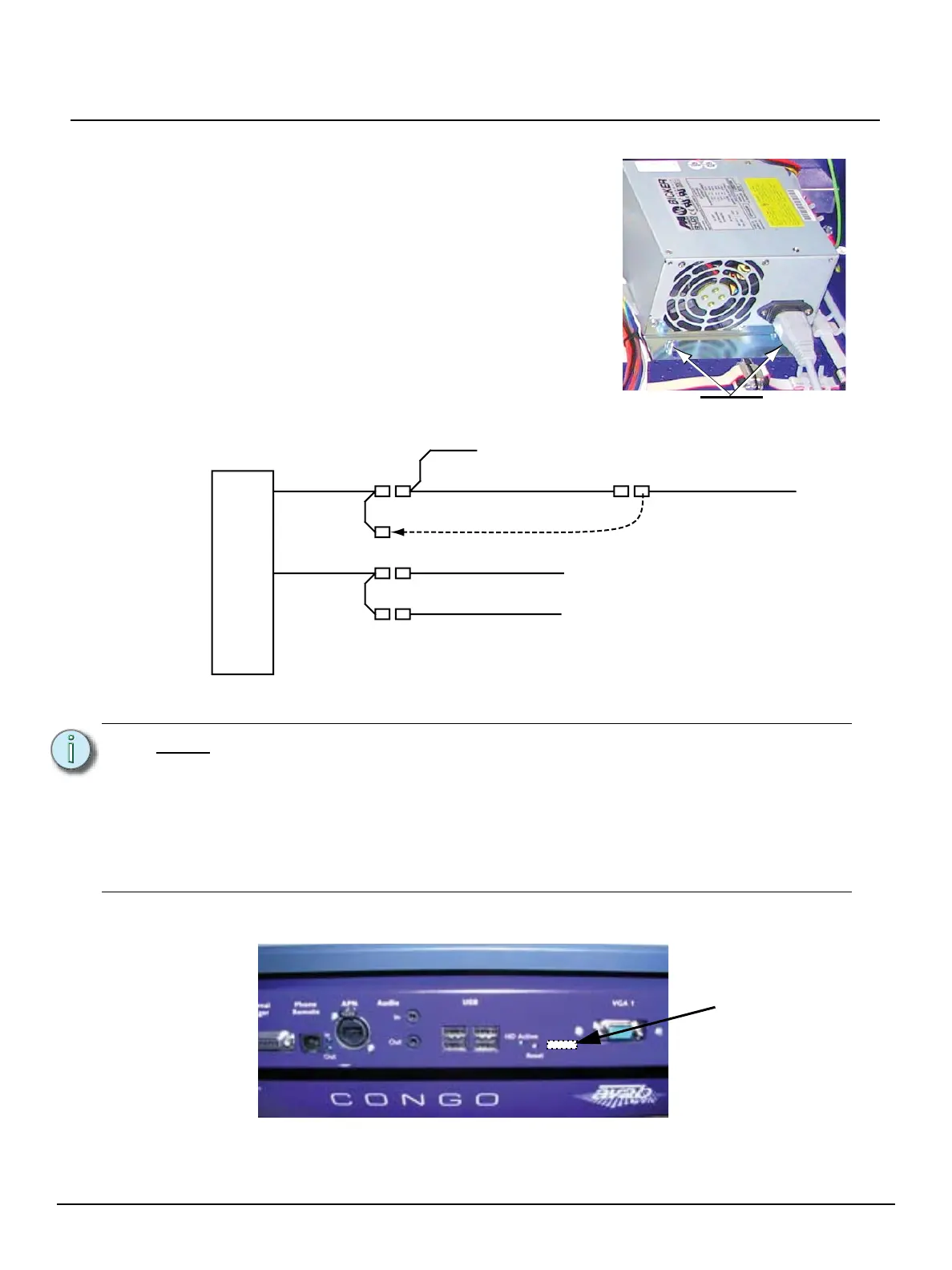
Step 11: Un-mount the power supply by loosening the self locking nuts.
Step 12: Close the console facepanel and secure it with a quarter turn of the quick release
latches.
Step 13: Locate the Reset label from the upgrade kit and place it on the rear panel of the
Congo console in the location indicated in the graphic below.
Step 14: Re-Configure the UPS service Power fail Options Configuration.
a: Reference the “Congo Power Supply Configuration Service Note” for instructions.
Note:
The console should automatically boot when power is applied. In the unlikely
event that a console does not start after mains supply is applied, it is possible to
start the console by pressing the Reset button. The Reset button functions slightly
different than before this upgrade.
• To reset the console, hold the Reset button for more than 5 seconds. This
will shut down the console.
• To re-start the console after the above step, press the reset button once.
This will power up the console again.
Self locking
nuts
a: Locate the connector of the user interface
(facepanel) power.
b: Unplug this connector and plug it into the
direct power supply cable loom. Reference
the graphic below for clarification.
Power
Supply
5V / 12V
Transition Board (USB Hub)
Central Processing Unit
I/O Board
User Interface (Face Panel)
5V / 12V
Move connector here!
LABEL
Place label here



 To Previous Page
 Loading...