ETC Service Note
Congo™ Power Supply Cable Upgrade Kit
Congo™ Power Supply Upgrade Kit Service Note Page 5 of 6 Electronic Theatre Controls, Inc.
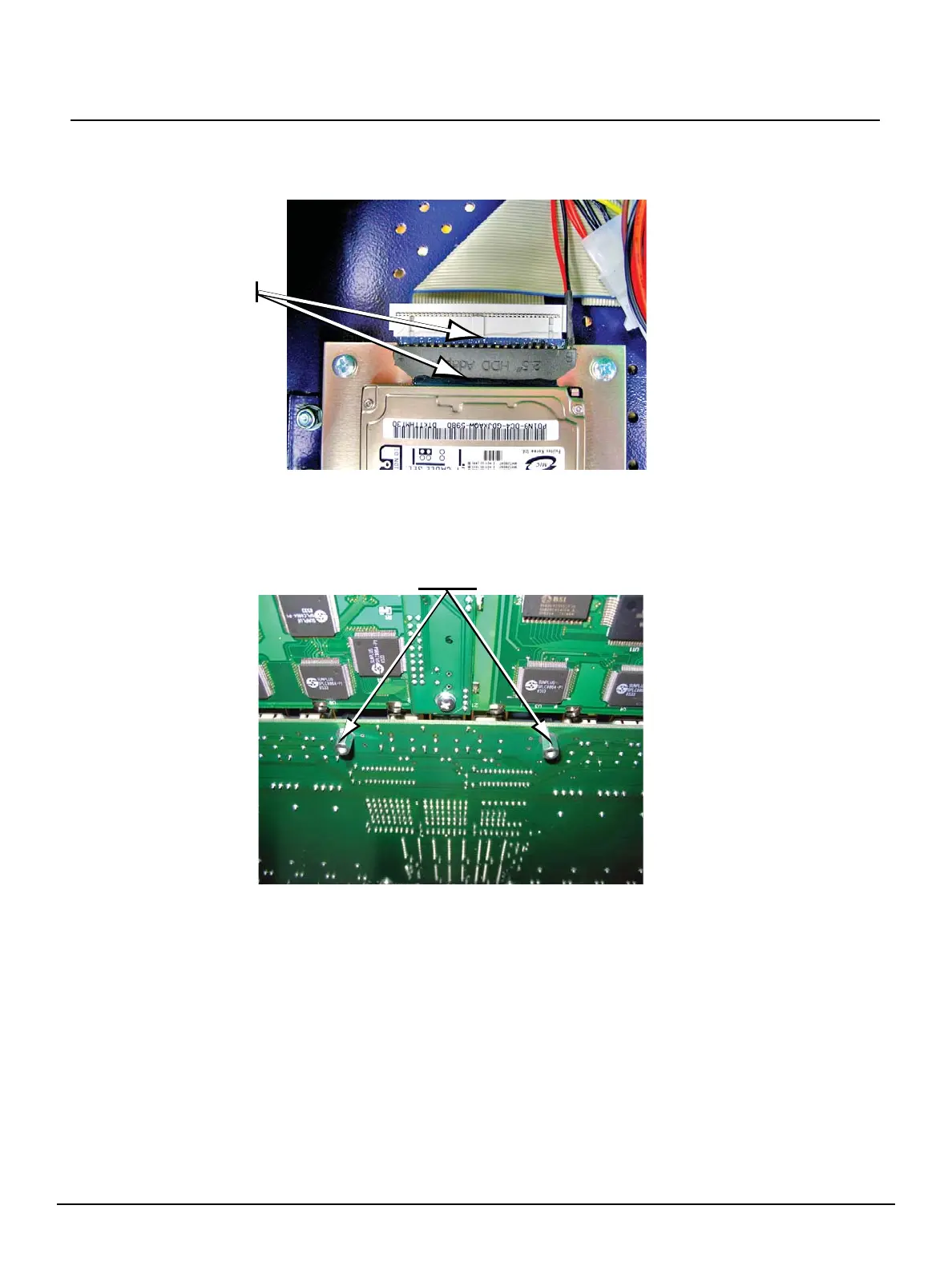
b: Add a strip of silicone at the hard- and floppy-drive cable connection, to secure the
connectors in their sockets.
Step 9: Close the EMC cage lid and reinstall the 11 screws removed in Step 2.
Step 10: Replace the two mounting screws located underside the facepanel with two
M3 x 6mm standoffs.
Silicone here
Standoff’s
here



 To Next Page