Sensor Portable Pack User Manual 11
Beacon
An LED status beacon is mounted in the top left corner of the
pack’s front panel. Under normal operating conditions, this
beacon is illuminated. If the pack’s electronics module senses
an error condition in the pack, the beacon flashes until the
error is corrected.
In packs with the MPE, the beacon alerts you to run the MPE
diagnostic routines to determine what the problem is. See the
MPE User Manual
for more information.
In packs with the CEM, the beacon alerts you to check the
CEM’s LCD for error messages. See the
CEM User Manual
for more information.
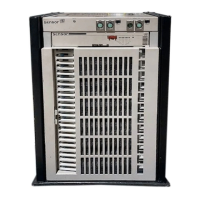
Door
Each Sensor Portable Pack is equipped with a door that
protects the dimmer modules and contains the cooling
system’s electrostatic air filter. To ensure proper cooling,
always keep the door closed except when you are working on
the pack.


 To Next Page