EasyManua.ls Logo

ETCR ETCR2100+ - User Manual

Default Icon
32 pages
Print Icon
To Next Page IconTo Next Page
Loading...

Questions and Answers

  • K
    Kevin DuarteAug 9, 2025
    What to do if my ETCR ETCR2100+ Test Equipment indicates an ERROR?
    • T
      Tiffany FoleyAug 9, 2025
      If your ETCR Test Equipment shows 'Err', large error results, or unstable readings, it could be due to several reasons. First, try replacing the batteries. If that doesn't solve the problem, check the jaw's contact surface for dust or oil and clean it. Another potential cause is poor jaw closure; try triggering the clamp multiple times and then rebooting the device. In some cases, the error may indicate a defective circuit component, and the PCB should be replaced. Finally, ensure you are following the correct measurement steps as outlined in the manual.
  • M
    Mr. Corey JacksonAug 15, 2025
    Why won't my ETCR ETCR2100+ Test Equipment button on?
    • J
      Jacqueline AndersonAug 15, 2025
      If your ETCR Test Equipment isn't powering on, start by checking the batteries. Ensure they are correctly installed with the right polarity and are not depleted. If the batteries are fine, inspect the battery contacts for any issues and replace them if needed. Confirm you're using the correct battery type. Also, test the battery harness for continuity and replace it if there's a break. Check the power button itself and re-assemble it if it's loose. Ensure the power plug has good contact, re-plugging or replacing it if necessary. In some instances, a defective circuit component on the PCB may be the cause, particularly if the current consumption is high; consider replacing the PCB.
  • B
    Brian WoodardAug 20, 2025
    Why is my ETCR ETCR2100+ Test Equipment incapable of measuring resistance?
    • L
      Lori SmithAug 21, 2025
      If your ETCR Test Equipment can't measure resistance, the battery might be low; replace it if the 'Low battery' indicator appears on the LCD. Ensure the instrument performs self-calibration before the test, following the manual to reboot and measure only after calibration completes. Check for the 'jaw-open' symbol on the LCD, which indicates poor jaw closure; trigger the clamp several times and reboot. Also, verify that the jaw's contact surface is clean from dust or oil. If these steps don't resolve the issue, a circuit component may be defective; in this case, consider replacing the PCB and readjusting the device.
  • M
    Mary RamosAug 27, 2025
    What to do if my ETCR ETCR2100+ Test Equipment is incapable to hold reading?
    • K
      Kevin NorrisAug 27, 2025
      If your ETCR Test Equipment isn't holding readings, check if the HOLD button has come loose and re-assemble it. If the issue persists, the problem might be a defect of circuit component. In this case, replace the PCB.
  • K
    Katherine KleinSep 2, 2025
    Why is my ETCR ETCR2100+ Test Equipment LCD Indication showing errors?
    • J
      Joseph CalderonSep 2, 2025
      If your ETCR Test Equipment's LCD is displaying errors such as missing segments, incorrect arithmetic points, or wrong units, it could be due to a few reasons. First, check the LCD connection wire for poor contact and try re-plugging or replacing the plug. If the problem continues, the LCD itself might be defective and need replacement. Also, ensure that the batteries have sufficient capacity and replace them if necessary. As a last resort, a defective circuit component could be the cause, requiring replacement of the PCB.

Summary

Attention and Safety Precautions

Technical Specifications

Operating Methods

Boot up Procedure

Step-by-step guide on how to power on and initialize the earth resistance tester.

Resistance Measurement

Detailed steps for performing earth resistance measurements.

Current Measurement

Detailed steps for performing current measurements.

Alarm Settings Configuration

How to configure the alarm function and set critical values.

Accessing Alarm Critical Value

How to view the currently set alarm critical value.

Measurement Principles

Earth Resistance Measurement Methods

Multi-Point Grounding System Measurement

Method for measuring earth resistance in multi-point grounding systems.

Troubleshooting Guide

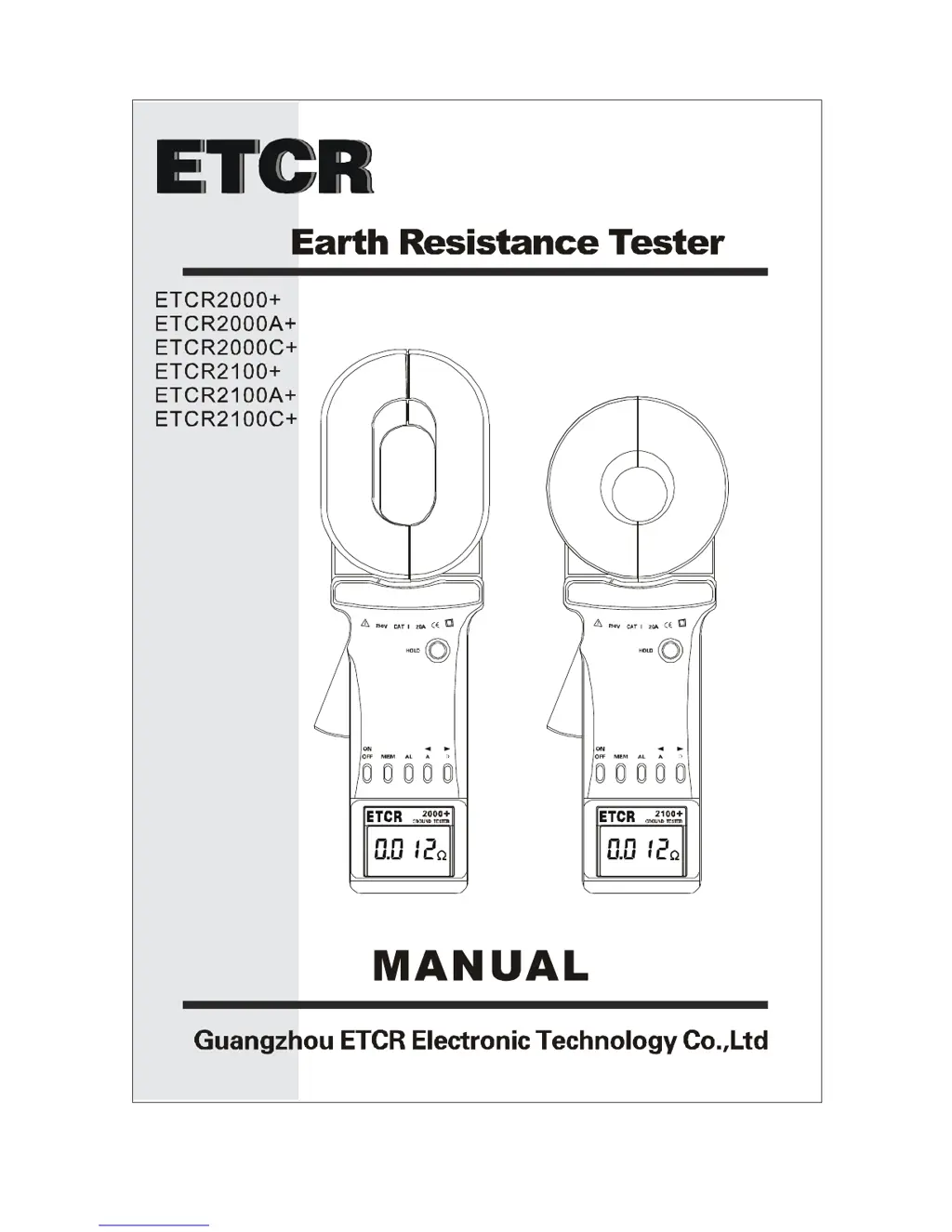
ETCR ETCR2100+ Specifications

General IconGeneral
Data Storage99 sets
Display ModeLCD
FunctionGround resistance measurement
Ground Resistance Range0.01Ω~200Ω
Resolution0.001Ω
Current Range0.0mA~20.0A
Current Resolution0.1mA
Alarm Threshold Setting Range1Ω~199Ω
Clamp Diameter32mm
Power Supply4×1.5V AA batteries
StructureClamp
Operating Temperature-10°C to 55°C
Operating Humidity10%~85%RH
Storage Temperature-20°C~60°C
Storage Humidity10%~75%RH
Dimensions285mm x 85mm x 56mm

Related product manuals