ETC Service Note
Congo™ jr DMX Driver Chip Replacement
Congo™ jr DMX Driver Chip Replacement Page 31 Electronic Theatre Controls, Inc.
Step 10: Remove the base cover, and set aside.
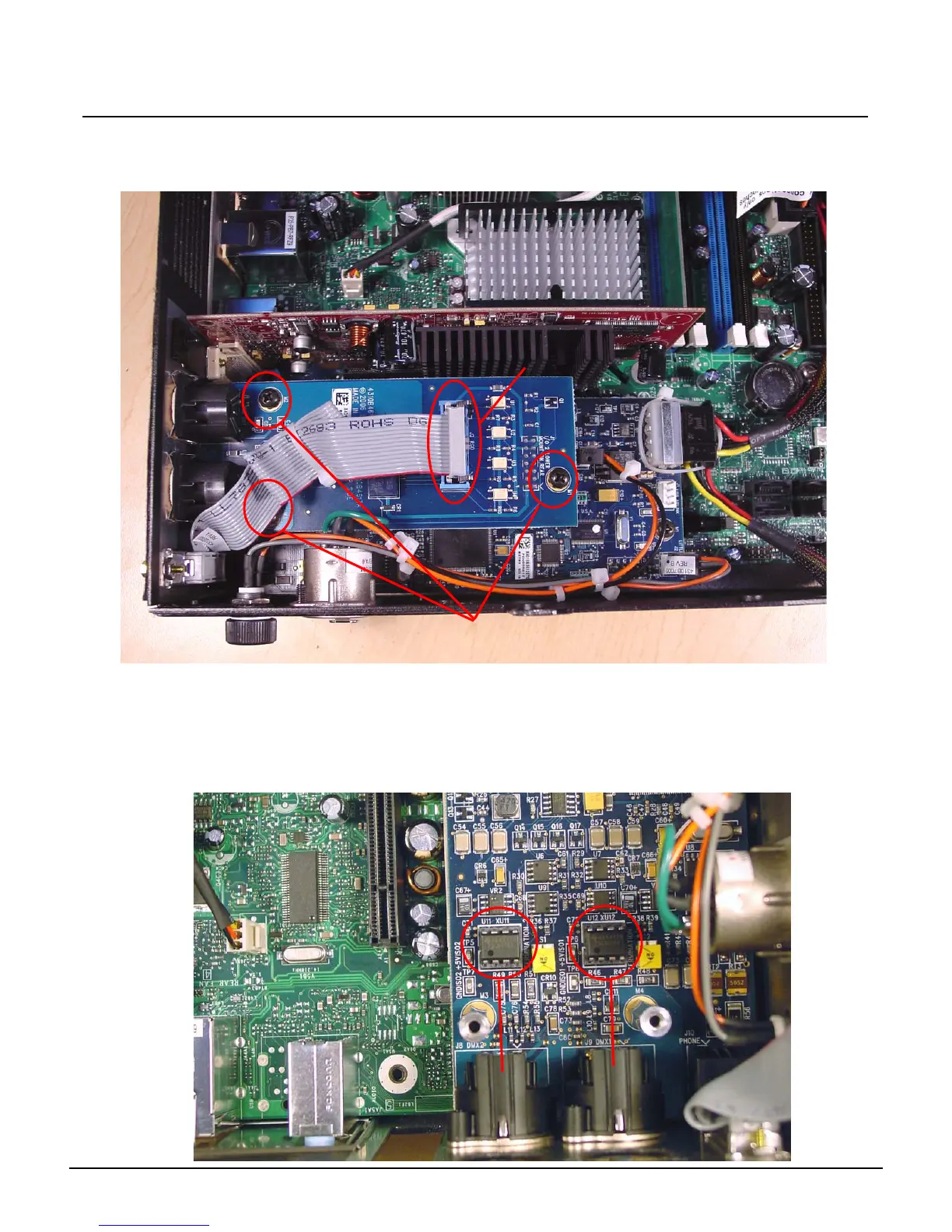
Step 11: Locate the MIDI riser card near the Video Card, and above the DMX I/O Card.
Step 12: Remove the ribbon cable from the MIDI riser card, and remove the 3 screws.
Step 13: Lift up on 2 sides of the MIDI card being careful not to bend any of the pins below the
card.
Step 14: Set the MIDI card aside.
Step 15: Locate either DMX Driver Chip:
U11 - DMX Port 1
U12 - DMX Port 2
Remove these
3 Screws
Disconnect this
ribbon cable
DMX
P1
DMX
P2



 To Next Page